Multi RS

System

The System page allows setting up a Multi RS to be standalone or to be part of a three phase system. By default, it is set up to work as a single Multi RS in standalone mode.

Note

The Multi RS can only be configured as standalone or three phase. A parallel configuration is not currently possible.

There will be different settings available depending upon which type of System configuration is selected.

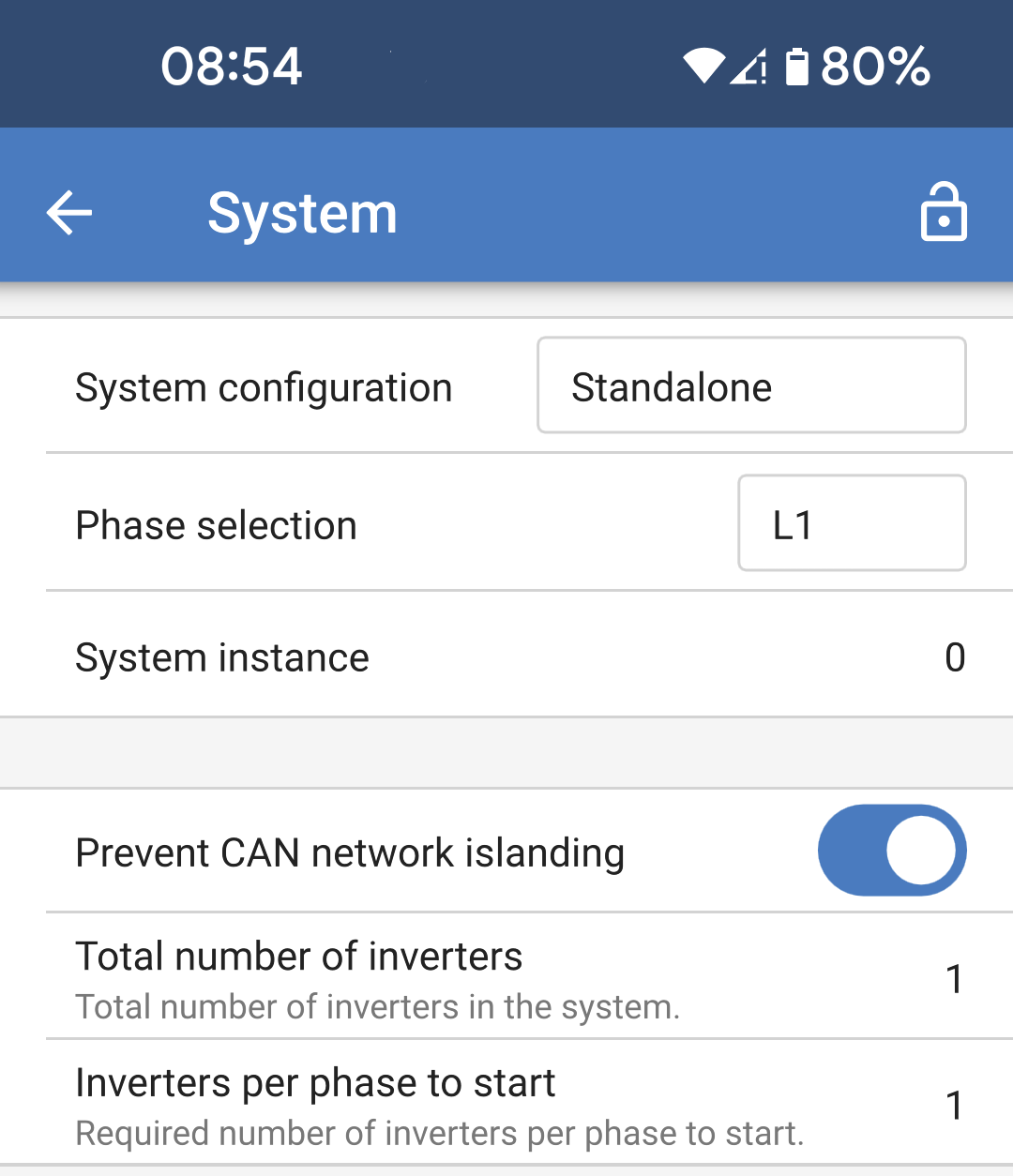
The settings described here relate to a standalone System configuration.

  • System configuration: Select either standalone or a three phase configuration.

  • Phase selection: Choose which phase this current Multi RS will be connected to. Each Multi RS must be set to a different phase since only one Multi RS can be allocated per phase.

  • System instance: Each Multi RS with the same instance number will work together as a group on the AC side.

    If you change the System instance then you can have multiple groups of Multi RS on the same physical VE.Can bus operating independently. Different groups will not synchronise with each other.

  • Prevent CAN network islanding: Enables the CAN network islanding detection. The default setting is enabled.

    If the physical CAN network is broken, this prevents separate CAN segments from running independently and getting out of sync with one another.

  • Total number of inverters: This option will not be available if the above option "Prevent CAN network islanding" is not enabled.

    Specify the total number of inverters that make up the System. In a standalone System, this will be 1.

    If the CAN network is split into segments, this setting is used to determine the largest and shut down the smaller segment to prevent them from continuing on their own unsynchronised.

    This results in a more reliable System compared to the smaller segment trying to continue on its own unsynchronised (which will lead to overload or other less graceful shutdown issues caused by an unsynchronised AC output sine wave).

  • Inverters per phase to start: This is the minimum number of inverters which must be present per phase when starting the System. Given that there can only be one Multi RS per phase, this should be set to 1.

MultiRS_System_Standalone.png

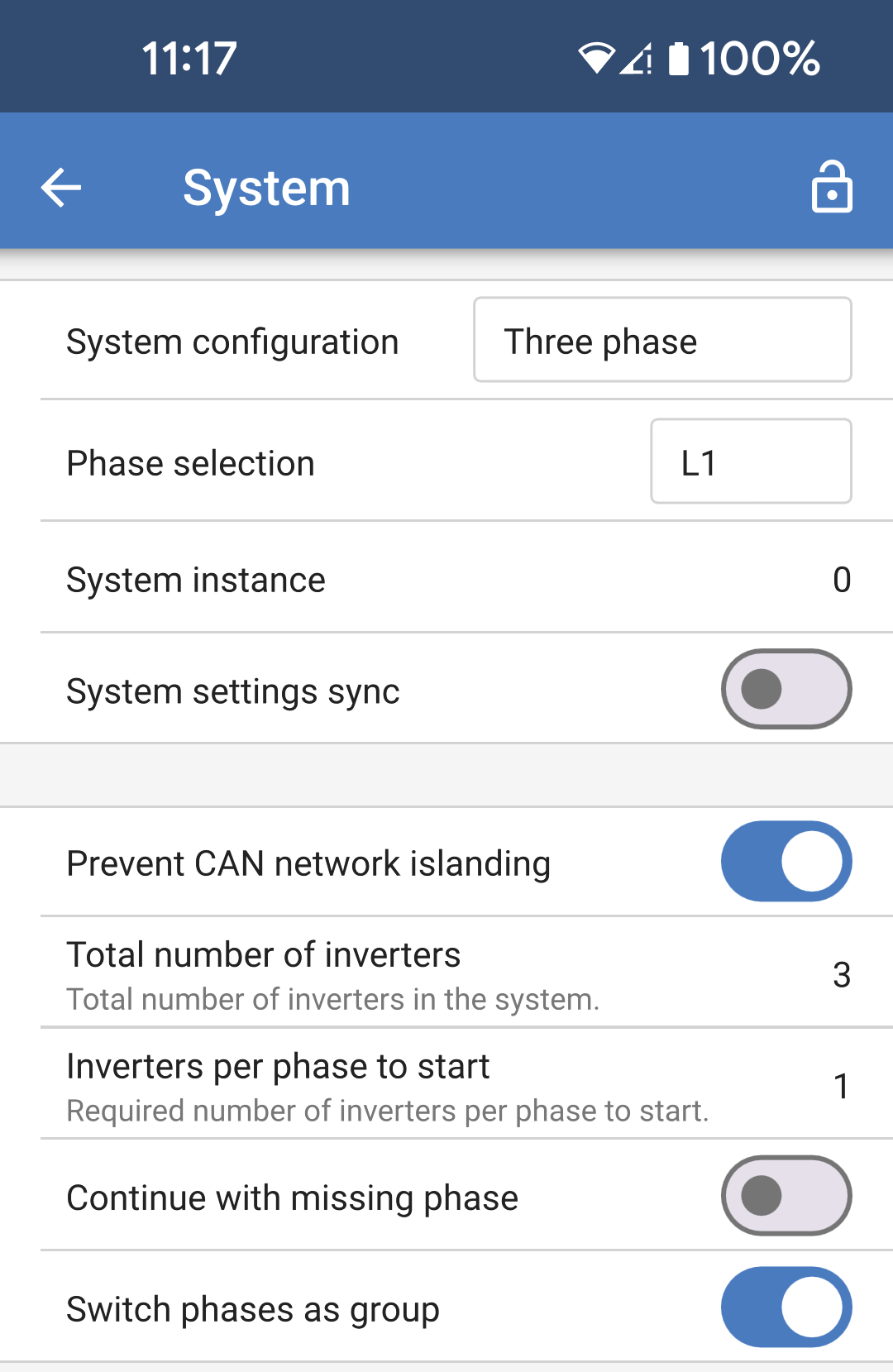
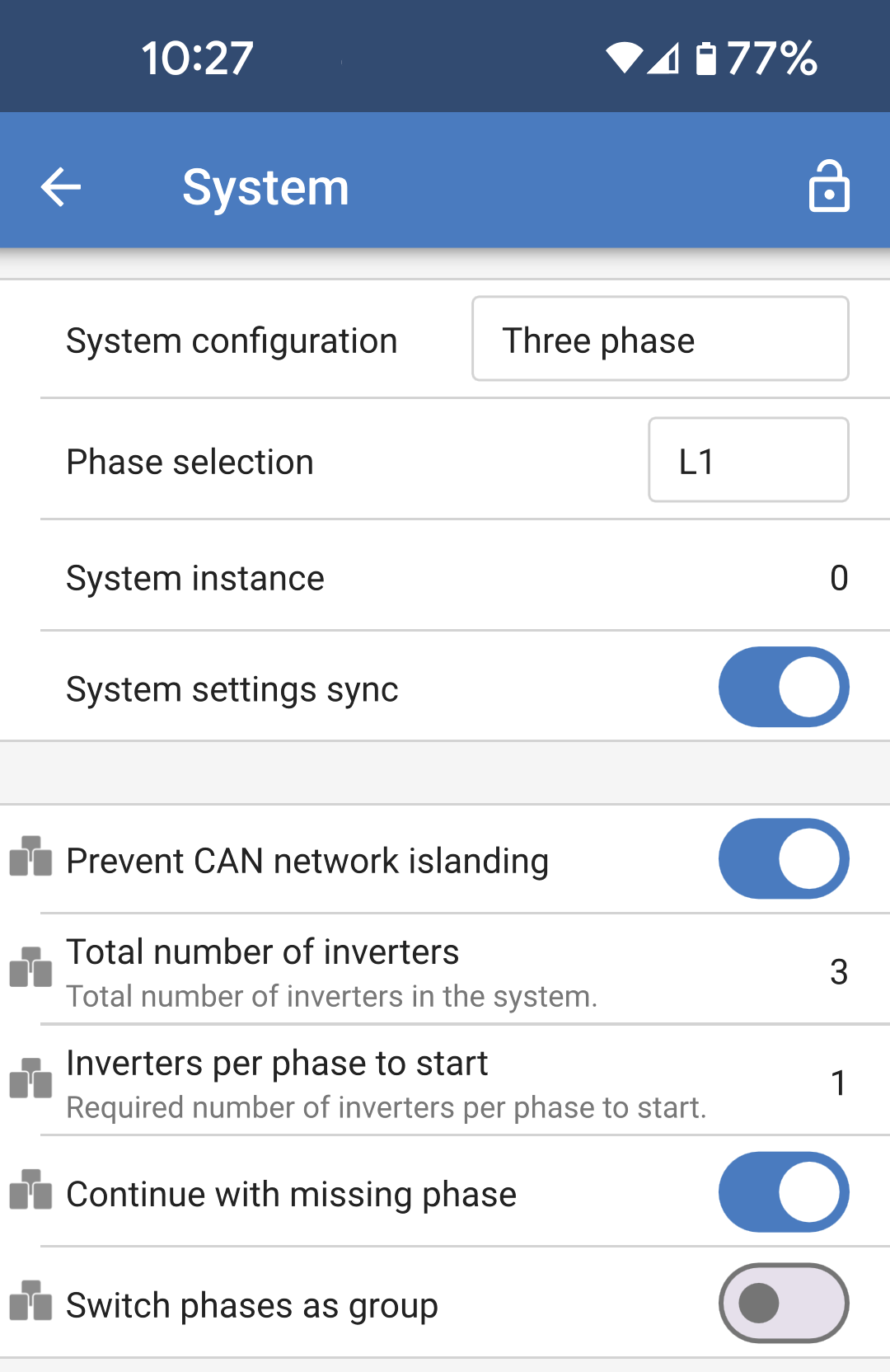
The settings described here relate to a three phase system configuration.

  • System configuration: Select either standalone or a three phase configuration.

  • Phase selection: Choose which phase this current Multi RS will be connected to. Each Multi RS must be set to a different phase since only one Multi RS can be allocated per phase.

  • System instance: Multi RS with the same instance number will work together as a group on the AC side.

    If you change the System instance then you can have multiple groups of Multi RS on the same physical VE.Can bus operating independently. Different groups will not synchronise with each other.

  • System settings sync: This option allows the synchronization of certain settings across multiple Multi RS in a group. This helps to ease System configuration and to ensure consistent settings between members of the group.

    See more details in the next section.

  • Prevent CAN network islanding: Enables the CAN network islanding detection. The default setting is enabled.

    If the physical CAN network is broken, this prevents separate CAN segments from running independently and getting out of sync with one another.

  • Total number of inverters: Specify the total number of inverters that make up the System. In a three phase System with one inverter per phase, this will be 3.

    Note

    This option will not be available if the above option "Prevent CAN network islanding" is not enabled.

    If the CAN network is split into segments, this setting is used to determine the largest and shut down the smaller segment to prevent them from continuing on their own unsynchronised.

    This results in a more reliable System compared to a smaller segment trying to continue on its own unsynchronised (which will lead to overload or other less graceful shutdown issues caused by an unsynchronised AC output sine wave).

  • Inverters per phase to start: This is the minimum number of inverters which must be present per phase when starting the System. Given that there can only be one Multi RS per phase, this should be set to 1.

  • Continue with missing phase: This is disabled by default. If enabled, then it would be possible for two other Multi RSs to continue providing power to their respective phase.

    Warning

    Do not enable this option if you have three phase loads such as induction motors, which may be damaged if run with a missing phase.

    Warning

    If you have configured the System to continue to operate with a missing phase, and there is an issue with the VE.Can communications between the Multi RSs (such as the wire being damaged), then the Multi RSs will continue to operate, but will not be synchronising their output wave forms.

  • Switch as a group: Disabling this option will allow the System to continue working even if one or two phases from the AC input are missing. The System will continue to produce three phase output from the AC-Out terminals.

    This can also be used if a three phase output is required, but there is only one phase available from the grid or generator.

MultiRS_System_Three_phase.png

System settings sync:

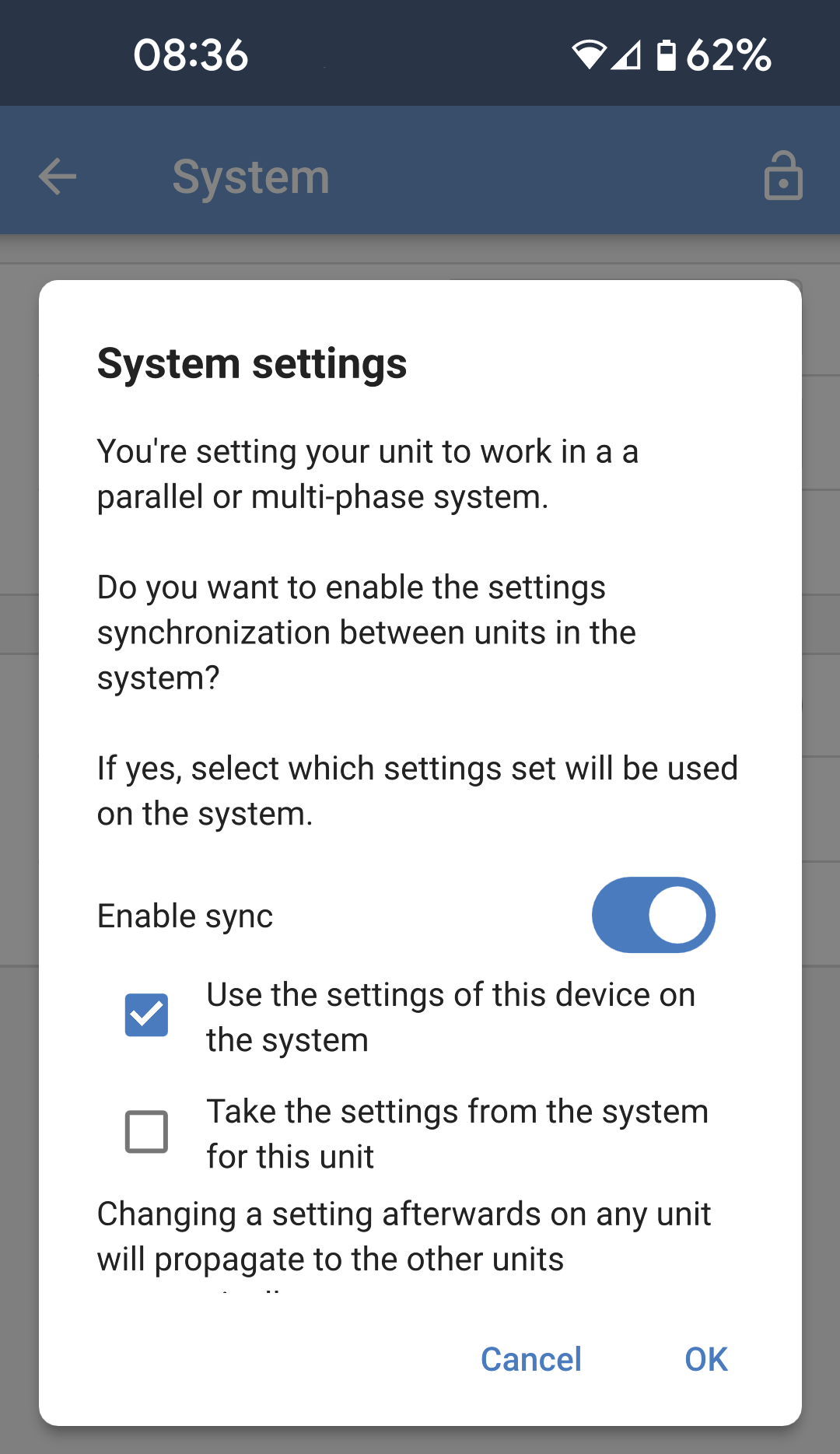
When System settings sync is enabled, or when the System configuration is changed from "Standalone" to "Three phase", then a popup will appear asking which direction you want the settings to be synchronized for this Multi RS.

Note

When settings sync is enabled, a change on any device in the group will be automatically propagated to the other Multi RSs in the group.

  • You can choose to disable sync if you don't want to use it.

  • If this is the first Multi RS to be configured in this System, then you would likely choose to use the settings on this device for the rest of the system.

  • If this Multi RS is a new member of the group, or is a new Multi RS replacing a faulty one, then you can take the settings for this Multi RS from the group.

MultiRS_System_Settings_Sync.png

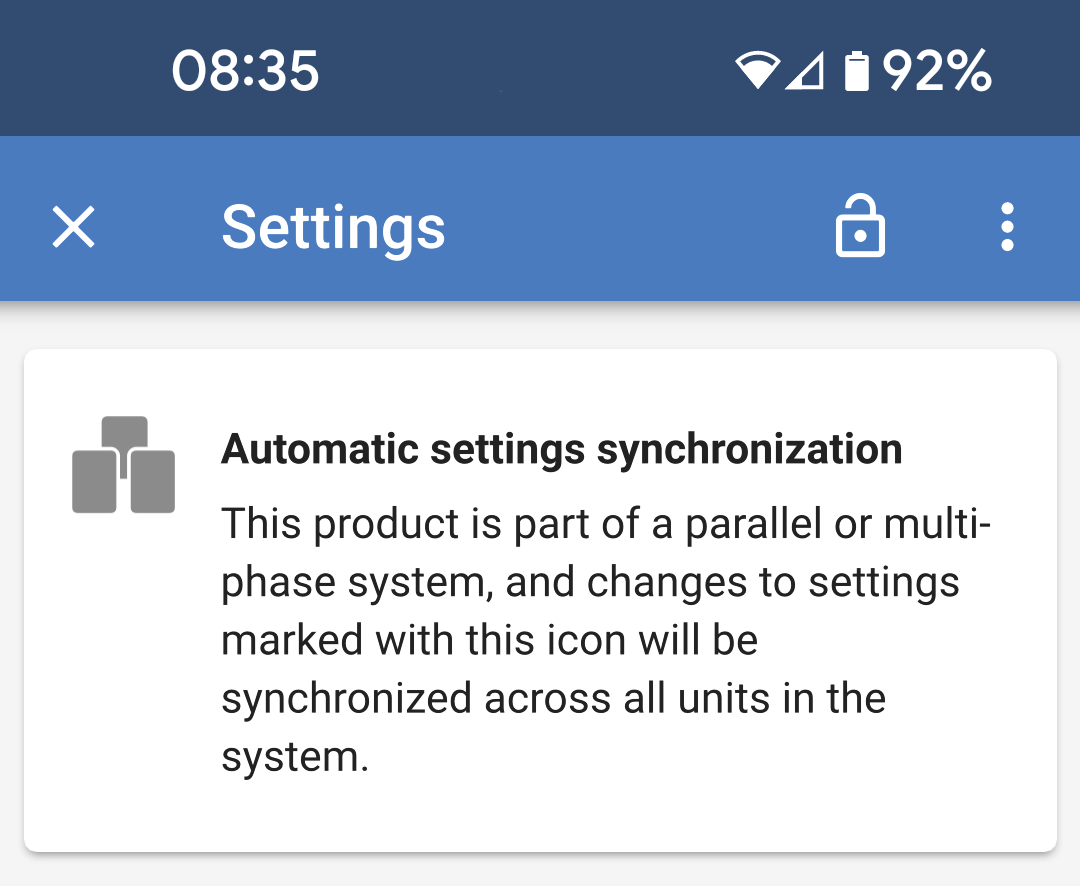
Once settings sync is enabled on the Multi RS, a banner will be displayed at the top of the main settings page.

This serves as a reminder that automatic settings synchronization is active and any changes made which are marked with this icon will be propagated to other units.

MultiRS_System_Settings_Sync_Banner.png

These are examples of synchronized settings, identified by their associated icons to the left.

MultiRS_System_Settings_Sync_Symbols.png