Multi RS

Relay

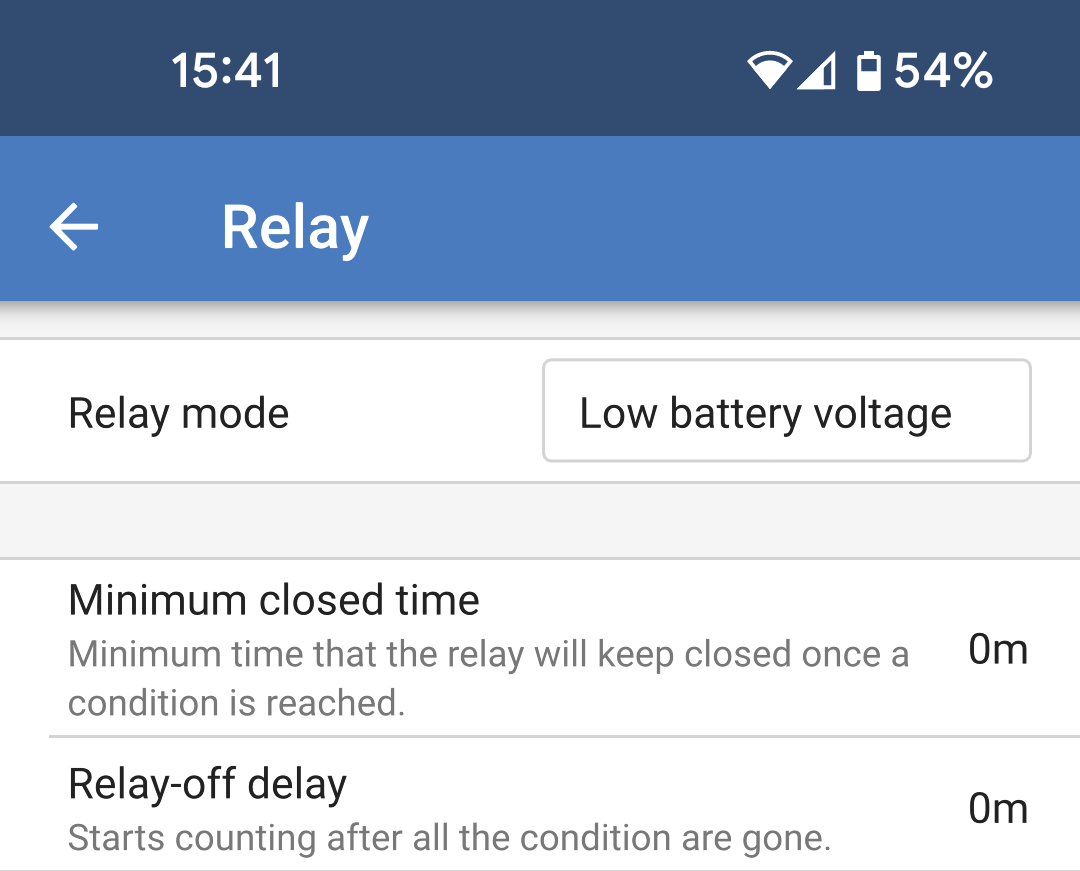
A programmable relay is available in the Multi RS. The contacts are accessible via the User I/O terminals. See the User I/O functions table for the pinout.

  • Relay mode: Tap in the box to select or change the mode of operation for the relay.

Some of the options allow additional settings for the relay contacts to remain closed for a minimum amount of time, or an amount of time after a condition has been cleared.

  • Minimum closed time: Specifies the minimum amount of time that the relay will remain closed for after being set by a condition.

  • Relay off delay: After an alarm condition has cleared, the relay will remain closed for this additional amount of time.

MultiRS_Relay.png

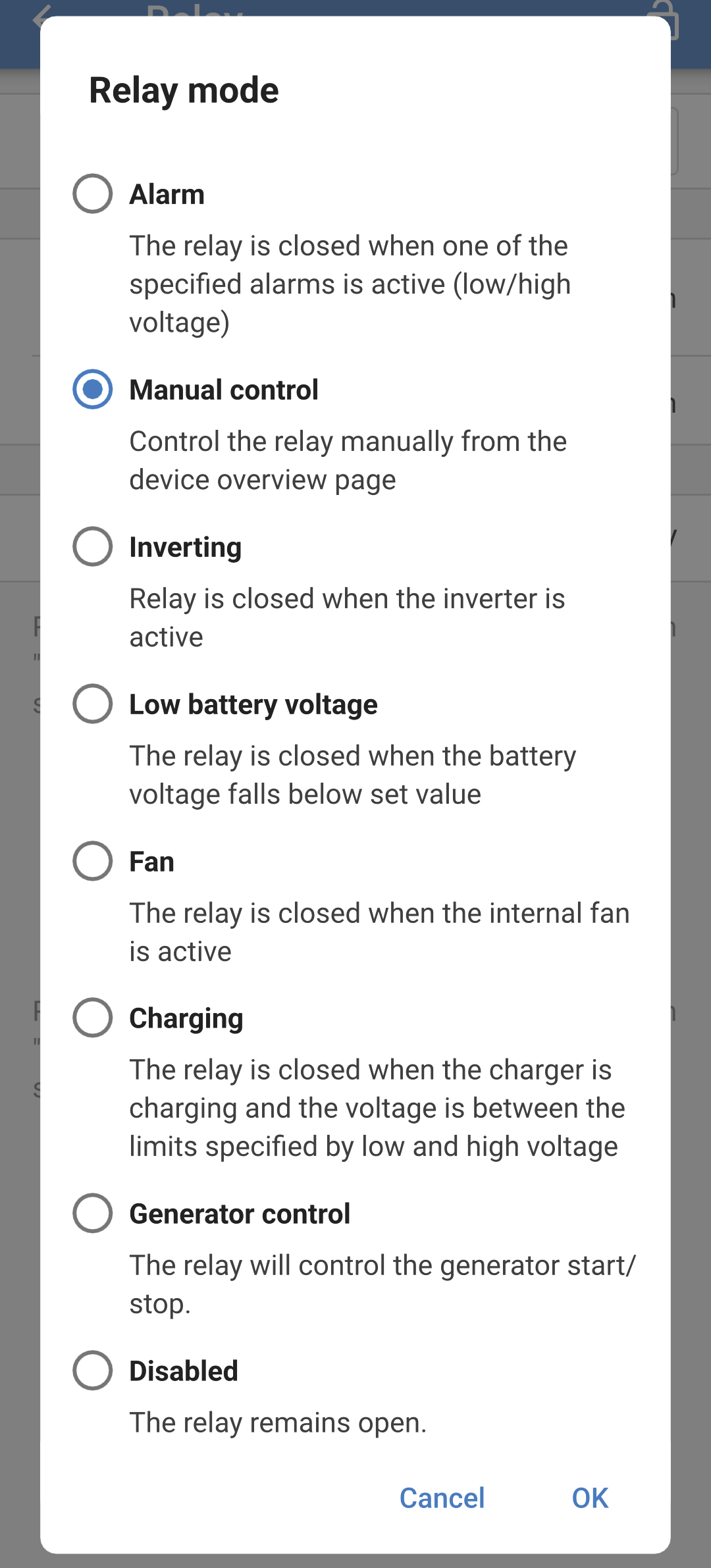
One of several relay modes can be selected from the list:

  • Alarm: The relay is closed when either a high battery voltage or low battery voltage alarm is active.

    • Low voltage relay: Choose the parameters to set and to clear a low battery voltage alarm.

    • High voltage relay: Choose the parameters to set and to clear a high battery voltage alarm.

  • Manual control: Use this option to control the relay manually from the Settings - Relay page or from the Status page.

  • Inverting: The relay contacts will close when the Multi RS is inverting.

  • Low battery voltage: The relay will close when the battery voltage falls below the set value.

    • Low voltage relay: When the battery voltage falls below the set level, the relay will close. The relay will open again when the voltage rises above a higher set voltage.

  • Fan: The relay will close whenever the internal fan of the Multi RS is running.

  • Charging: The relay will be closed when the charger is charging and the battery voltage is between the low and high voltage limits.

    • Low voltage relay: The relay opens when the battery voltage falls below the lower set voltage and it closes again when the battery voltage is above the higher set voltage.

    • High voltage relay: The relay opens when the battery voltage is above the higher set voltage and it closes again when the battery voltage is below the lower set voltage.

  • Generator control: See the next section for details.

  • Disabled: The relay is not used and the contacts will always be open.

MultiRS_Relay_mode.png
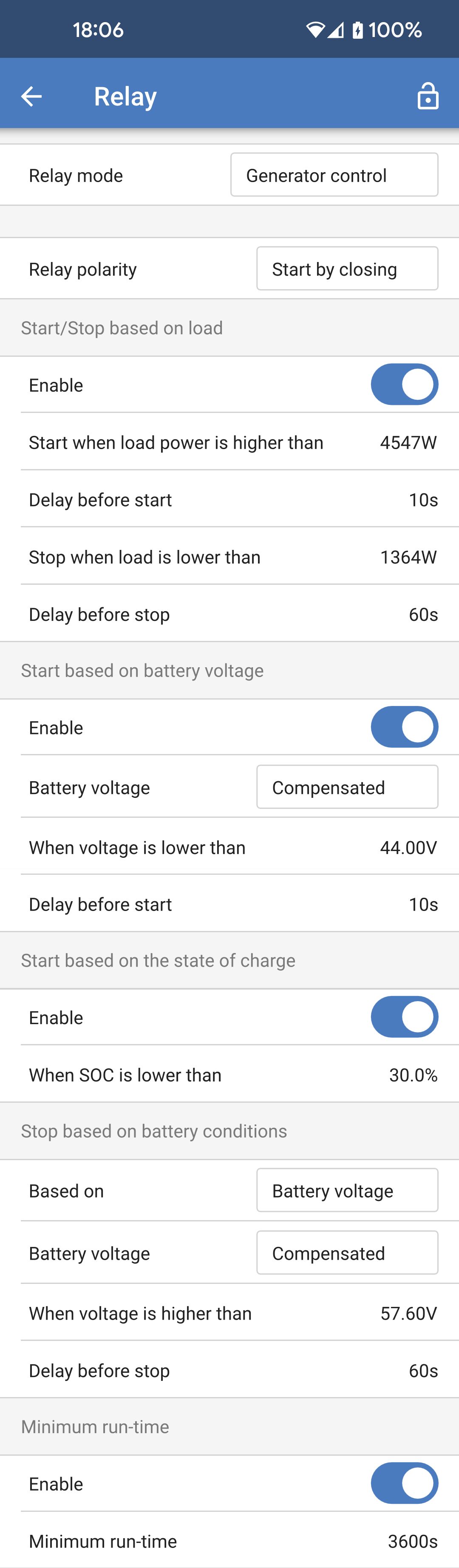
  • Generator control: Choose this mode for the relay contact to control starting and stopping a generator.

    There are a number of conditions which can be set to start and stop the generator.

    Any or all of the conditions can be enabled using the toggle switch for each condition.

    • Relay polarity: Select whether the relay contact closes to start the generator or if it opens to start the generator.

    • Start/Stop based on load: Start the generator when the AC output load reaches a set limit.

      • Start when load power is higher than: Adjust the power limit that must be exceeded before the generator starts.

      • Delay before start: Set a delay from the high load condition activation before the generator actually starts. This is in case the high load condition is only a short term event.

      • Stop when load is lower than: Stop the generator when the load is below this power limit.

      • Delay before stop: Set a delay from the time the load condition is no longer active before the generator stops. This is in case the load goes above the activation limit again in a short amount of time.

    • Start based on battery voltage: Start the generator when the battery voltage gets too low.

      • Battery voltage: Choose which battery voltage measurement to use for voltage based generator starting.

      • When voltage is lower than: The generator will start when the voltage falls below this value.

      • Delay before start: Allow a period of time after the condition is set before the generator starts.

    • Start based on state of charge: The generator will start when the battery SOC goes below a set level.

      • When SOC is lower than: When the battery SOC falls below this value then the generator will start.

MultiRS_Generator_settings.png
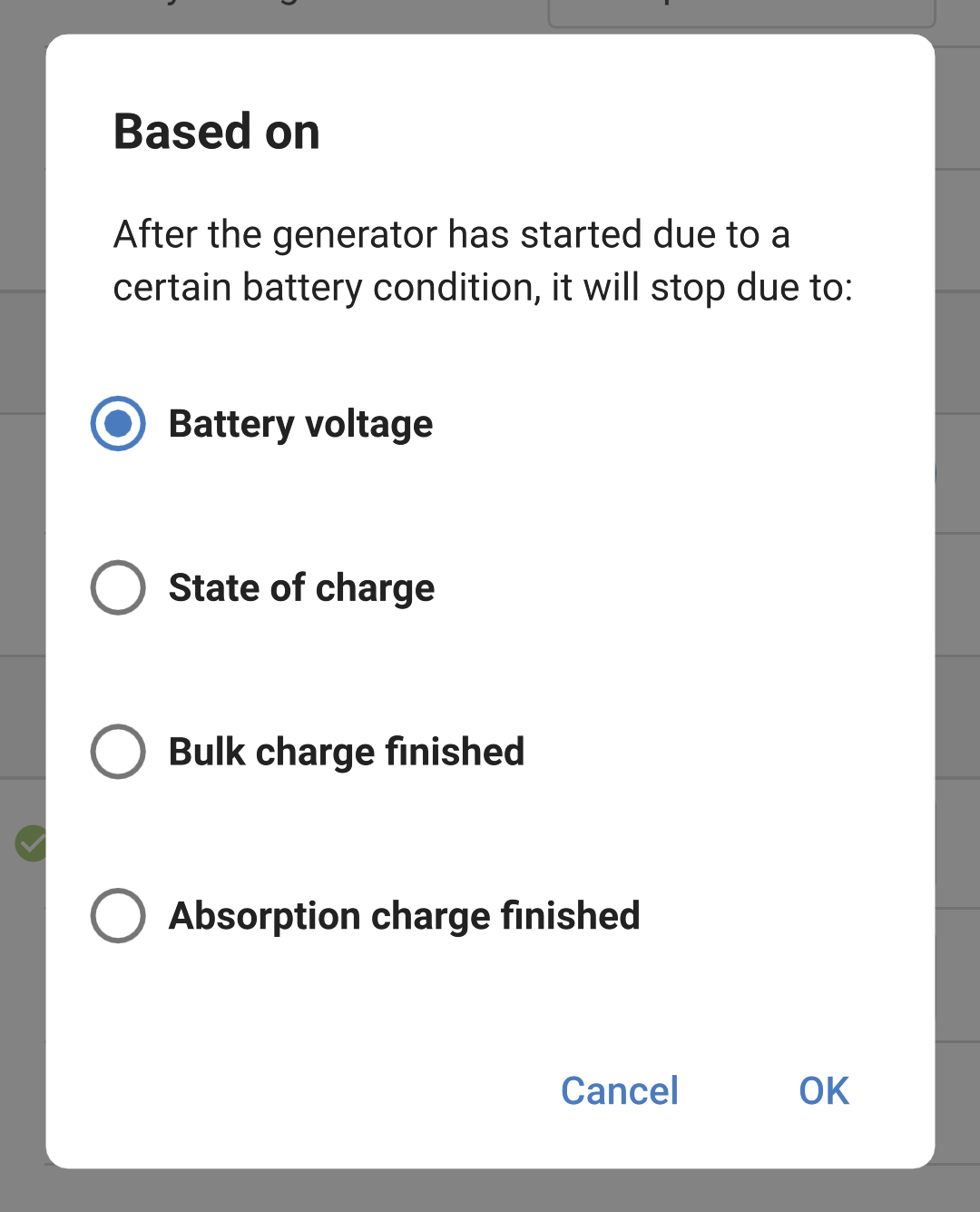
  • Stop based on battery conditions: Define conditions by which to stop the generator. Select one of the conditions by which to stop the generator.

    • Battery voltage: When this option is chosen then you can set the voltage source to use, the voltage level above which the generator will stop, and also a stop delay.

    • State of charge: Choose this option and define a state of charge level. When this SOC level is exceeded, then the generator will stop.

    • Bulk charge finished: Specify an amount of time to wait after the bulk charge phase has finished before stopping the generator.

    • Absorbtion charge finished: Define an amount of time that must pass before the generator stops, after the absorbtion charge phase has finished.

  • Minimum run time: Set an overall minimum run time for the generator. This is to prevent short cycling the generator.

MultiRS_Stop_conditions.png