Multi RS

Settings page

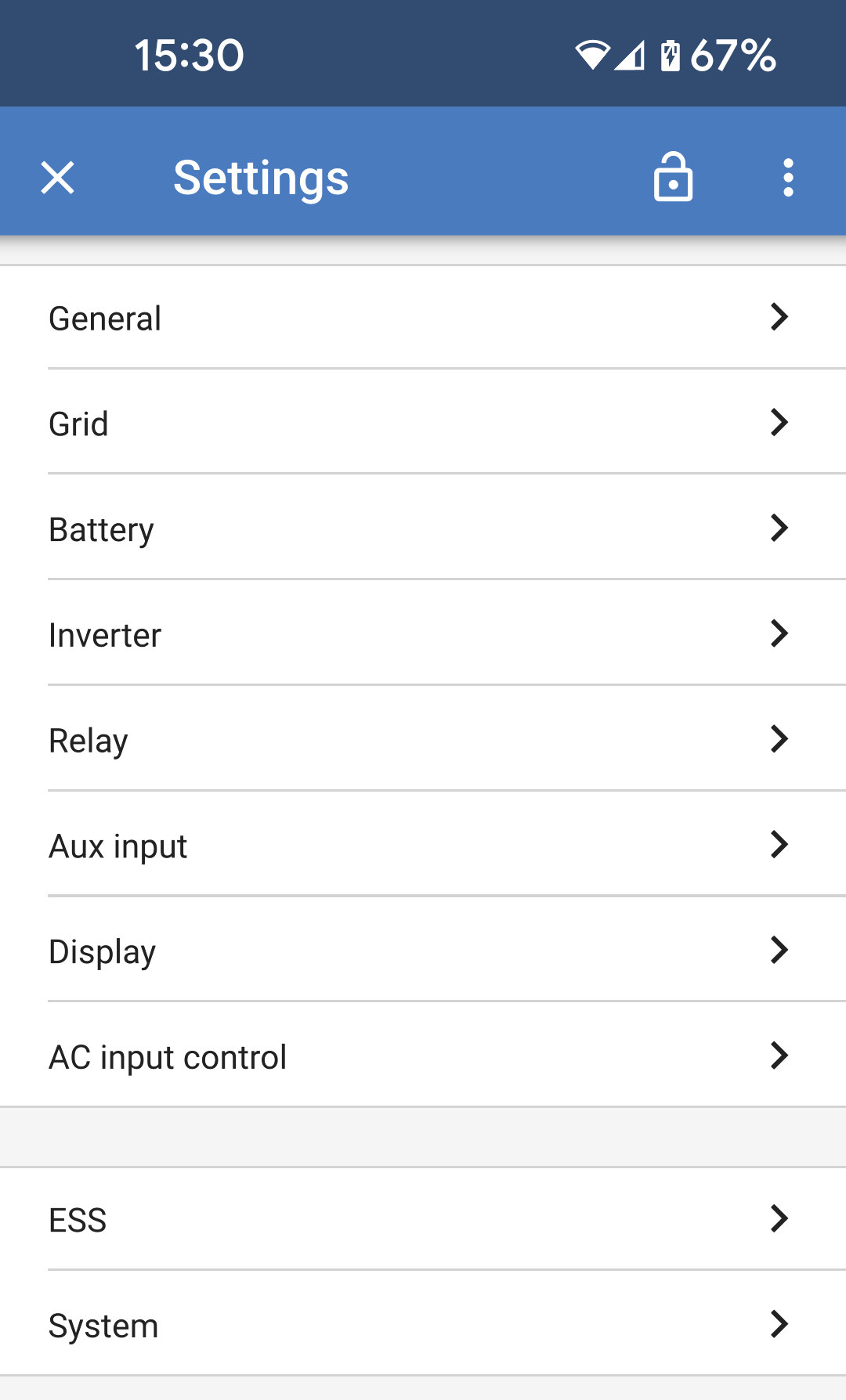
The Settings menu is accessible by pressing the cog wheel from the top right of the Overview page.

The following menu options are available:

  • General: Define the general settings for the Multi RS.

  • Grid: Grid disconnect and reconnect voltage limits can be set including the option to monitor the PE to neutral voltage.

  • Battery: Adjust the charging parameters for the battery.

  • Inverter: Set the output voltage of the inverter and the behaviour of the ground relay.

  • Relay: Select from a variety of relay modes for the internal relay.

  • Aux input: Pick one function for each of the auxiliary inputs.

  • Display: Choose how the LCD backlight behaves and the preferred temperature unit.

  • AC input control: Provides various options to control when the AC input is connected or disconnected.

  • ESS: Setup the energy storage system mode, and settings related to each mode.

  • System: Designate how many units are in the system, and which phase they belong to.

MultiRS_Settings.png

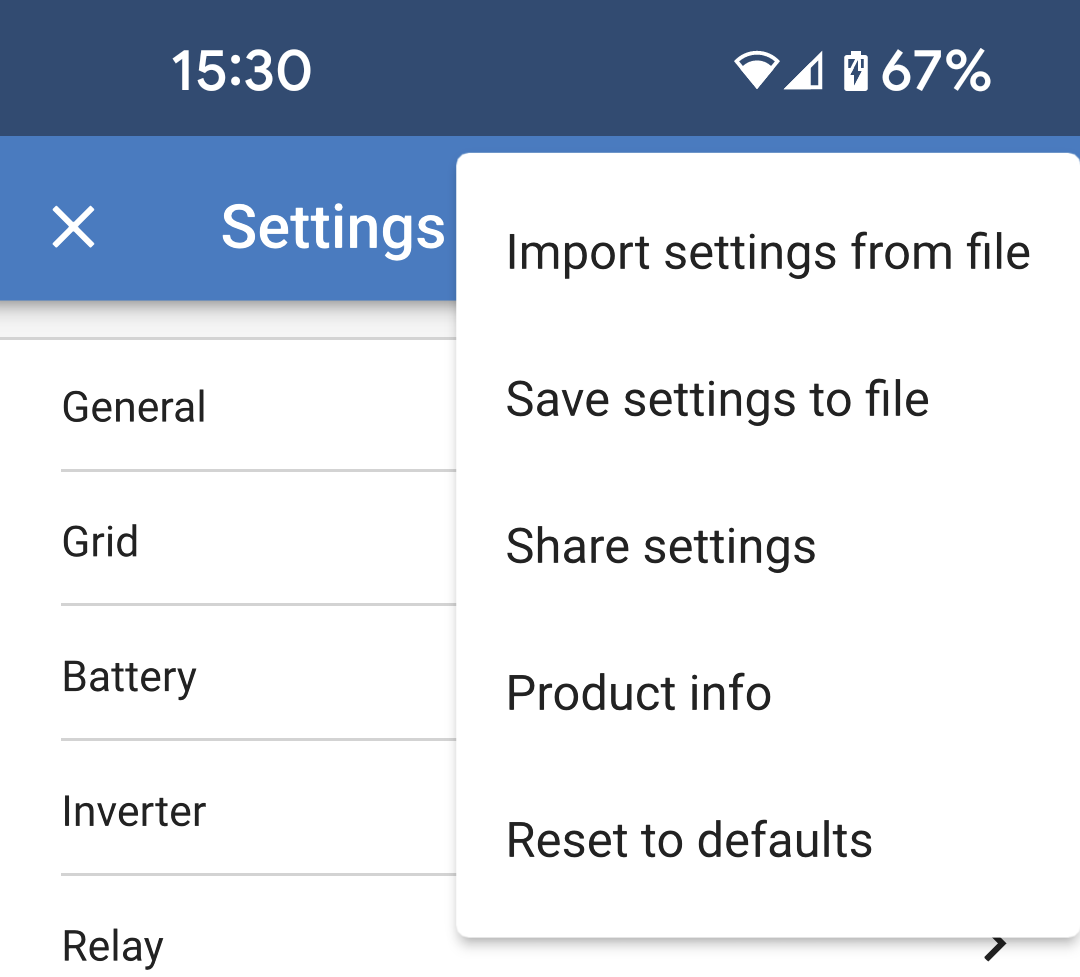
Tap the three vertical dots in the top right corner of the settings page to perform the following actions:

  • Import settings from file: Import previously saved settings from a file in the settings library.

  • Save settings to file: Save the current settings to a file, which will be stored in the settings library. This file can be used as a backup to restore settings on this Multi RS, or to easily apply the same settings to another one.

  • Share settings: Share the settings file via email or other social apps.

  • Product info: Displays the Multi RS model number and serial number. There is also a switch to enable or disable Bluetooth.

  • Reset to defaults: Reset all settings to the factory defaults. This will mean that any customised settings will be lost. Setup will need to be performed again, or imported from a previously saved settings file.

MultiRS_Three_Dots_Menu.png