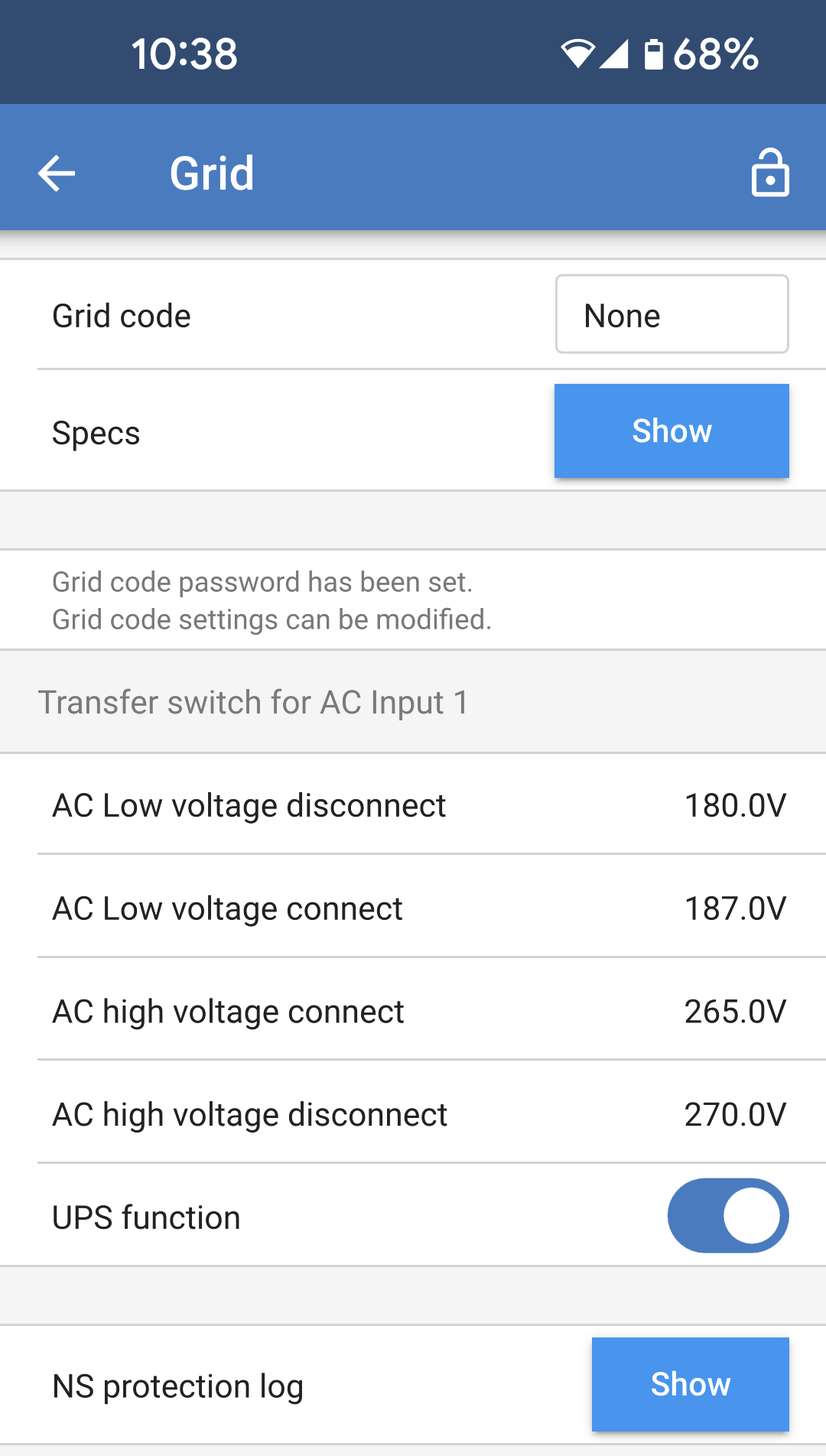
The grid settings page offers selection of a regional grid code and to adjust the AC input voltage limits. Grid code: The default option is None, grid feed in will not be possible. Select the appropriate grid code for your region. Please check the ESS installation chapter for more information about grid code configuration settings.ESS - Energy Storage System Specs: Tap "Show" to view the specifications of the currently selected grid code.
The below settings allow upper and lower AC input disconnection levels to be set. If the AC input voltage goes outside of these limits, then it will be disconnected and not passed through to the AC output. When the AC input is disconnected then, when the operation mode is set to "On," the inverter will provide power to the AC output. AC low voltage disconnect: The AC input will be disconnected when the voltage drops below this level. AC low voltage connect: After a low voltage disconnect, the AC input will re-connect when the voltage rises above this level. AC high voltage connect: After a high voltage disconnect, the AC input will re-connect when the voltage drops below this level. AC high voltage disconnect: The AC input will be disconnected when the voltage rises above this level. UPS function: Toggle this setting on to enable faster transfer from AC input to inverter power. It may be necessary to disable this setting when using a generator. This is because the generator's output is less stable and may cause unwanted transfer to inverter when it is running. NS protection log: The network system protection log records the five most recent protection events. Tap "Show" to view any logged events.
| |