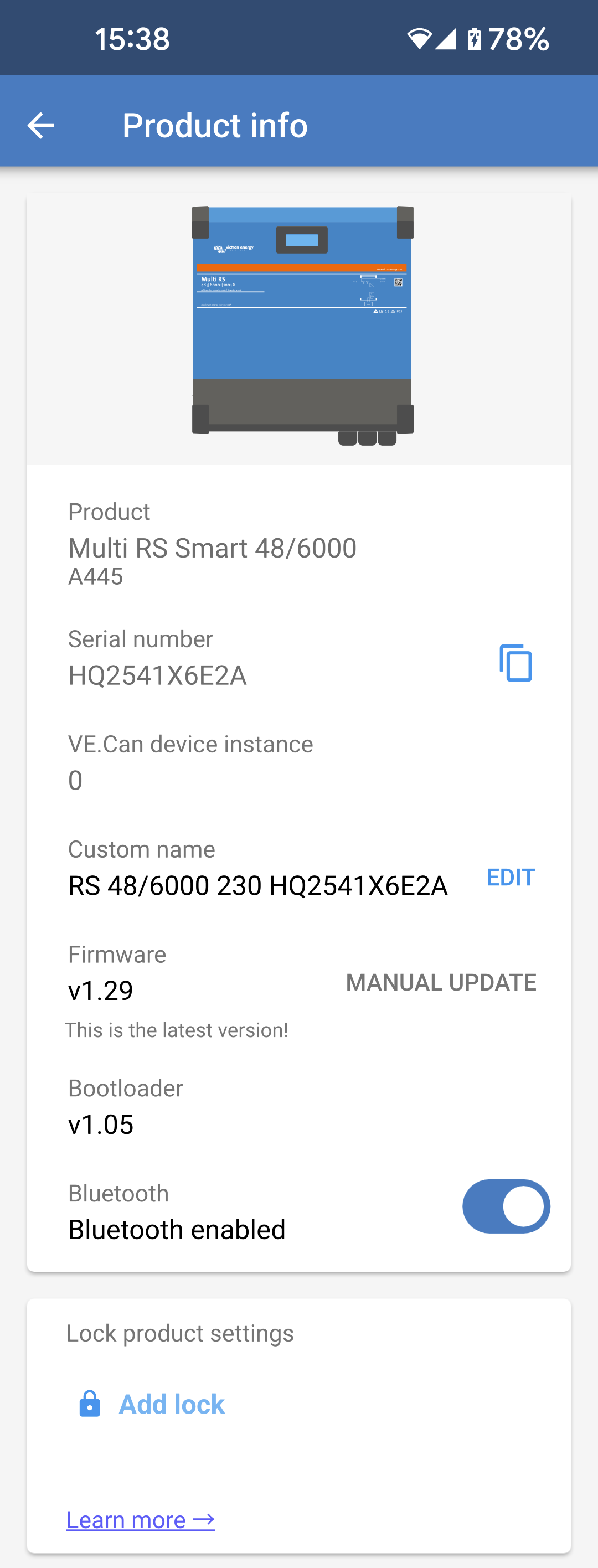
Product: Shows the product name and the model number.
Serial number: Shows the serial number of the Multi RS.
NEMA2000 device instance: Displays the network device instance number for this particular device.
Pin code: The Pin code is hidden but it can be changed using the change button to the right.
Custom name: Change the friendly name of the Multi RS.
Firmware: Displays the current firmware version running on the Multi RS.
Bootloader: The bootloader version.
Bluetooth: Enable or disable the Bluetooth functionality of the Multi RS.
Warning
Note that if you disable Bluetooth, then connection to this device via Bluetooth will no longer be possible after you return to the Device list or exit the VictronConnect app. You'll need to connect using a VE.Direct to USB interface in order to enable Bluetooth again.
Instant readout via Bluetooth: Enable this setting to display the most important data of the Multi RS on the Device list page.
Instant readout details: Tap "SHOW" to see the encryption data used for the Instant readout.