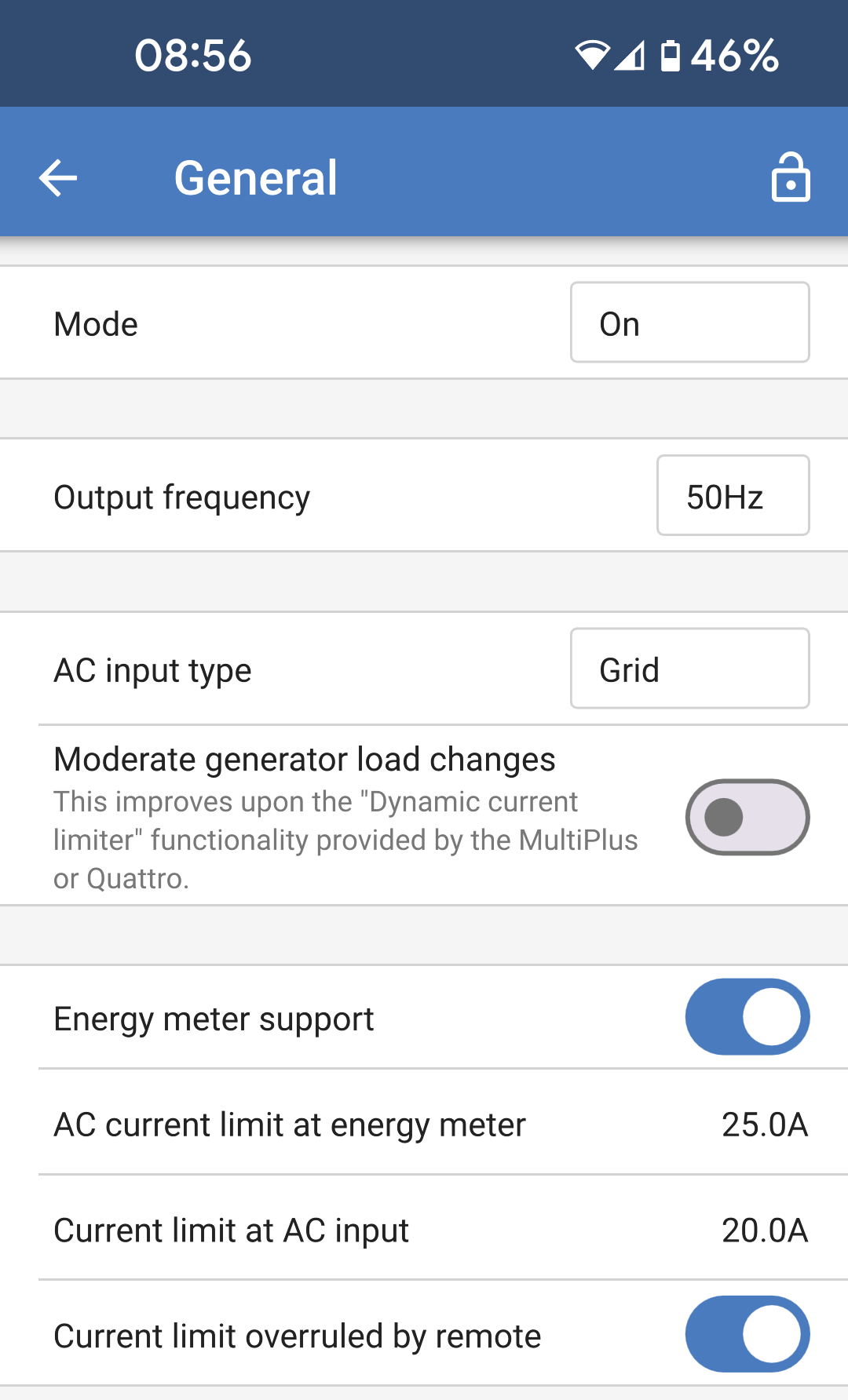
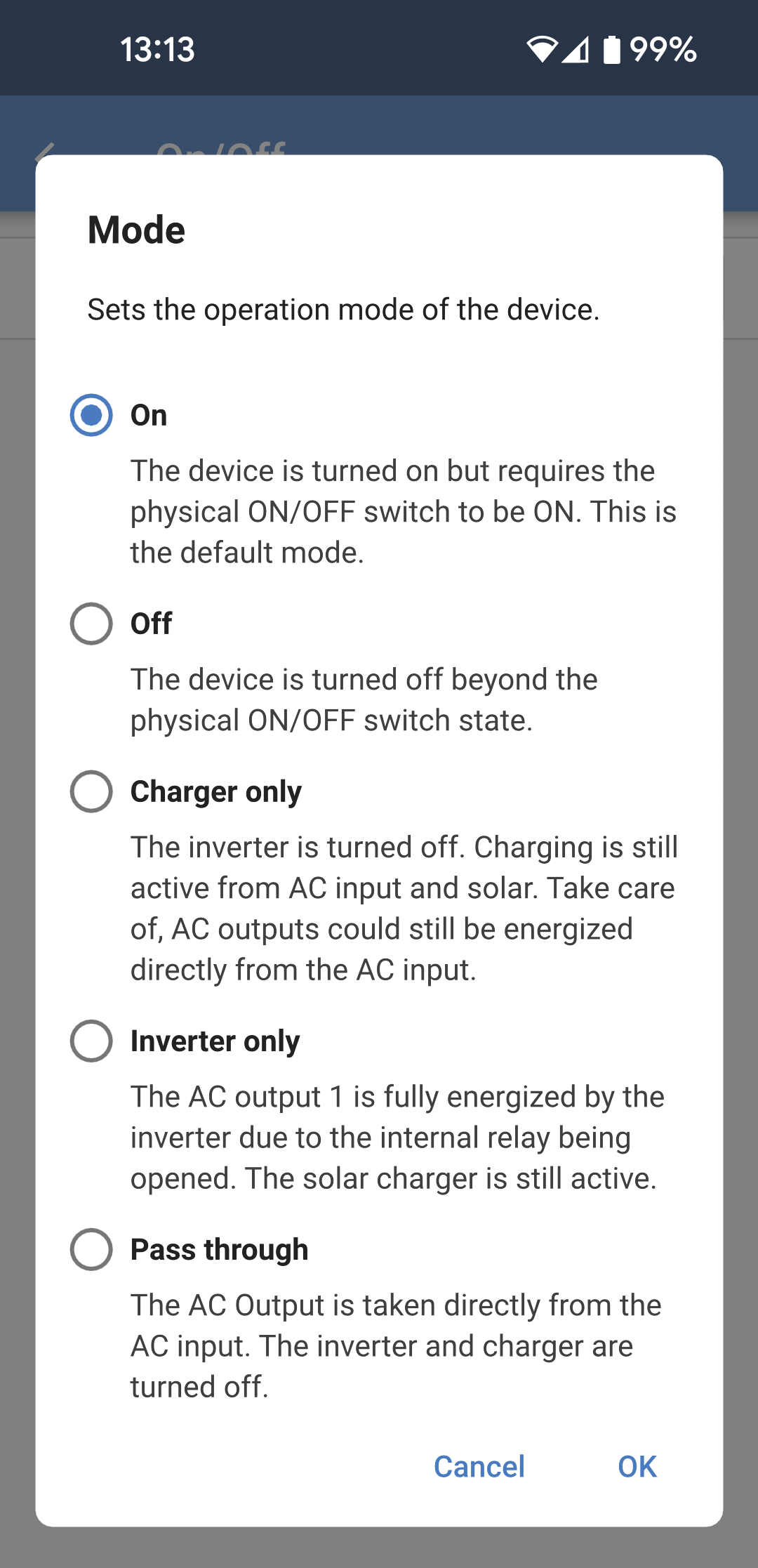
Mode: Tap the box on the right to change the operating mode of the Multi RS.
Output frequency: Set the nominal output frequency that the Multi RS will produce. Choose between 50Hz or 60Hz.
AC input type: Select the type of AC source that will be connected to the AC input of the Multi RS. Choose between "Grid," "Generator," or "Shore power." If there is no AC input, then you can choose "Not available."
These settings are only used to change the input type on the VRM dashboard, they don't change the functionality of the Multi RS.The icon and text will change accordingly. VRM will then be able to record the relevant energy source being used, and the corresponding graphs will show energy used from generator, or from grid, for example.
Choosing "Shore power" will display the input current limit on the VRM dashboard.
Moderate generator load changes: When enabled, sudden changes in the load on the AC output will be initially supplied by the battery. The load on the generator will then be increased more gradually, allowing it time to regulate its engine power.
Tip
In conjunction with this setting, it is recommended to also disable the UPS setting on the grid settings page.
Energy meter support: If you have an energy meter in the system, then you should enable this option.
Caution
"Energy meter support" is not provided by the older 'Single Tracker' model (PMR482602000).
AC current limit at energy meter: This field will only be visible if "Energy meter support" is enabled. Adjust the current limit at the point that the energy meter is installed.
Current limit at AC input: Adjust the current limit at the AC input of the Multi RS.
Current limit overruled by remote: Enable this option to allow the current limit to be adjusted remotely. For example, a GX device can be used to adjust the current limit remotely.
It is not possible to remotely set the current limit any higher than the level defined here.