Connecting an external energy meter
The Victron VM-3P75CT energy meter can be used with the Multi RS.
Note
Only the Victron VM-3P75CT energy meter is supported.
The Victron energy meter can be connected using either VE.Can or Ethernet. A GX device is required for Ethernet connectivity. See example diagrams below.
Note
For Ethernet connectivity, the Multi RS must have firmware version 1.26 or above installed.
The GX device must be running version 3.65 or above.
Warning
Any Wi-Fi network segments between the energy meter and the GX device should be avoided due to latency issues.
Use wired Ethernet connections between the energy meter, router/switch, and GX device.
See the VM-3P75CT manual for full details.
The energy meter can be configured for single phase or three phase systems.
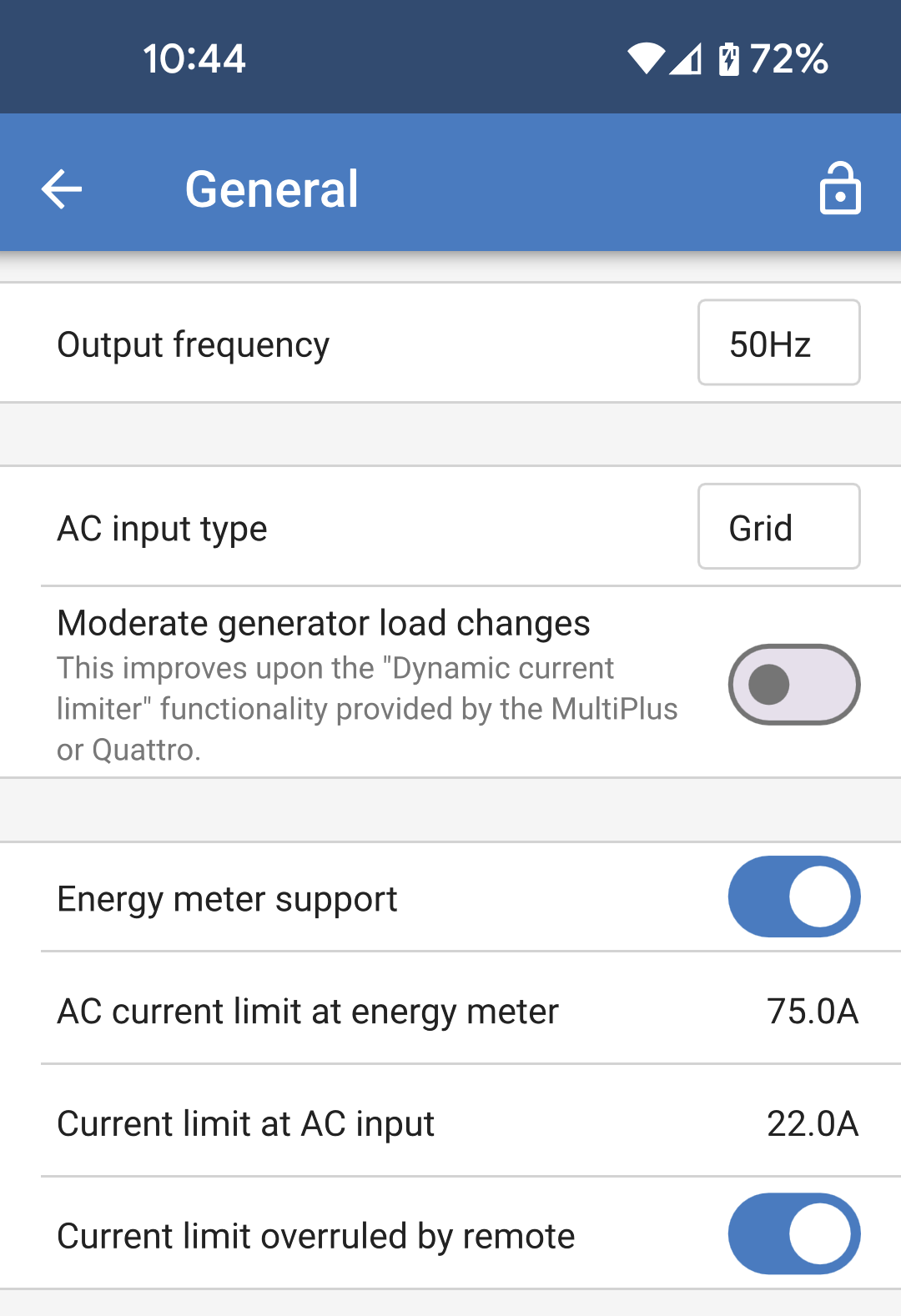
Once the role is selected in the energy meter settings, then energy meter support can be set in the Multi RS settings:
|
|
|
|
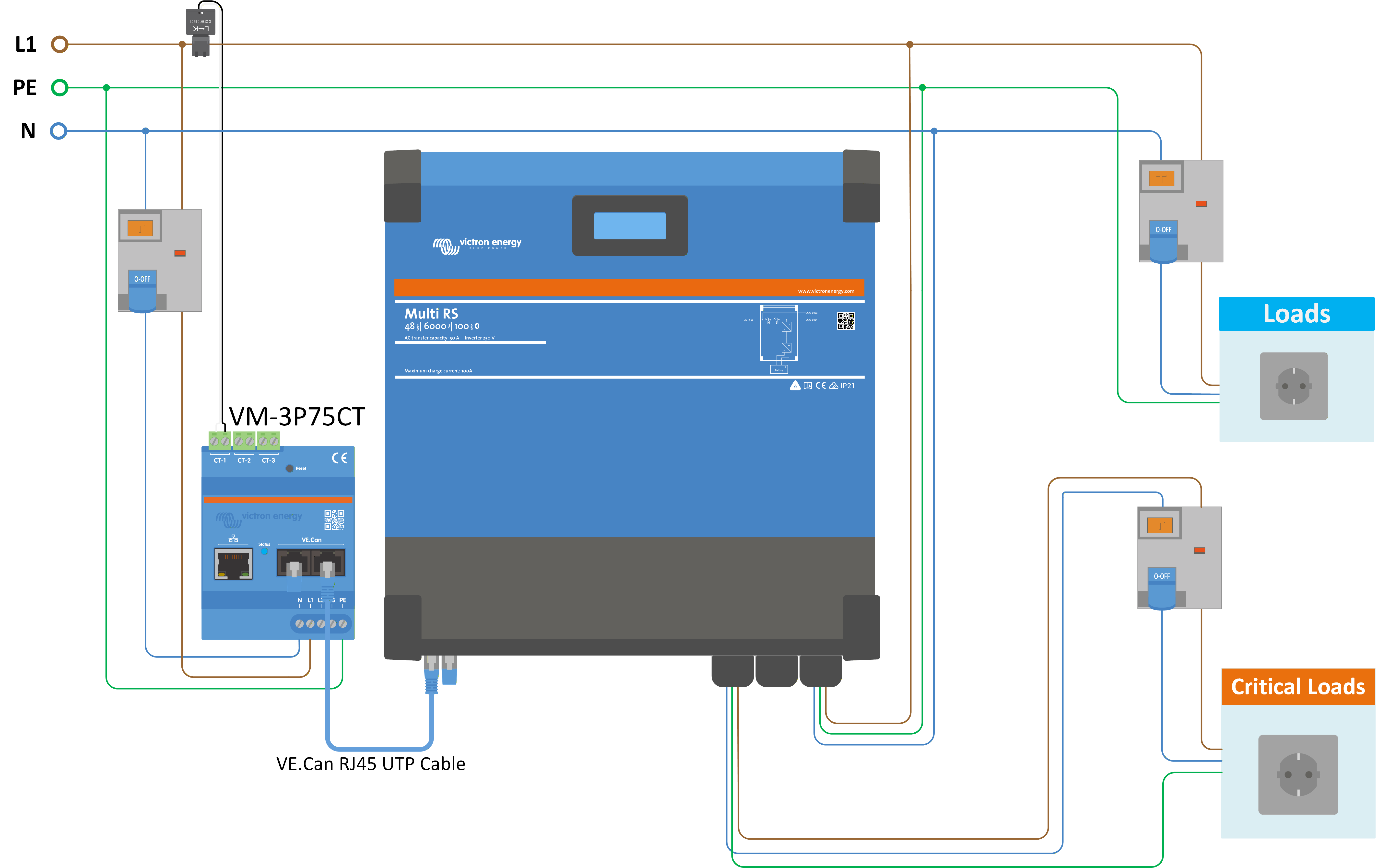
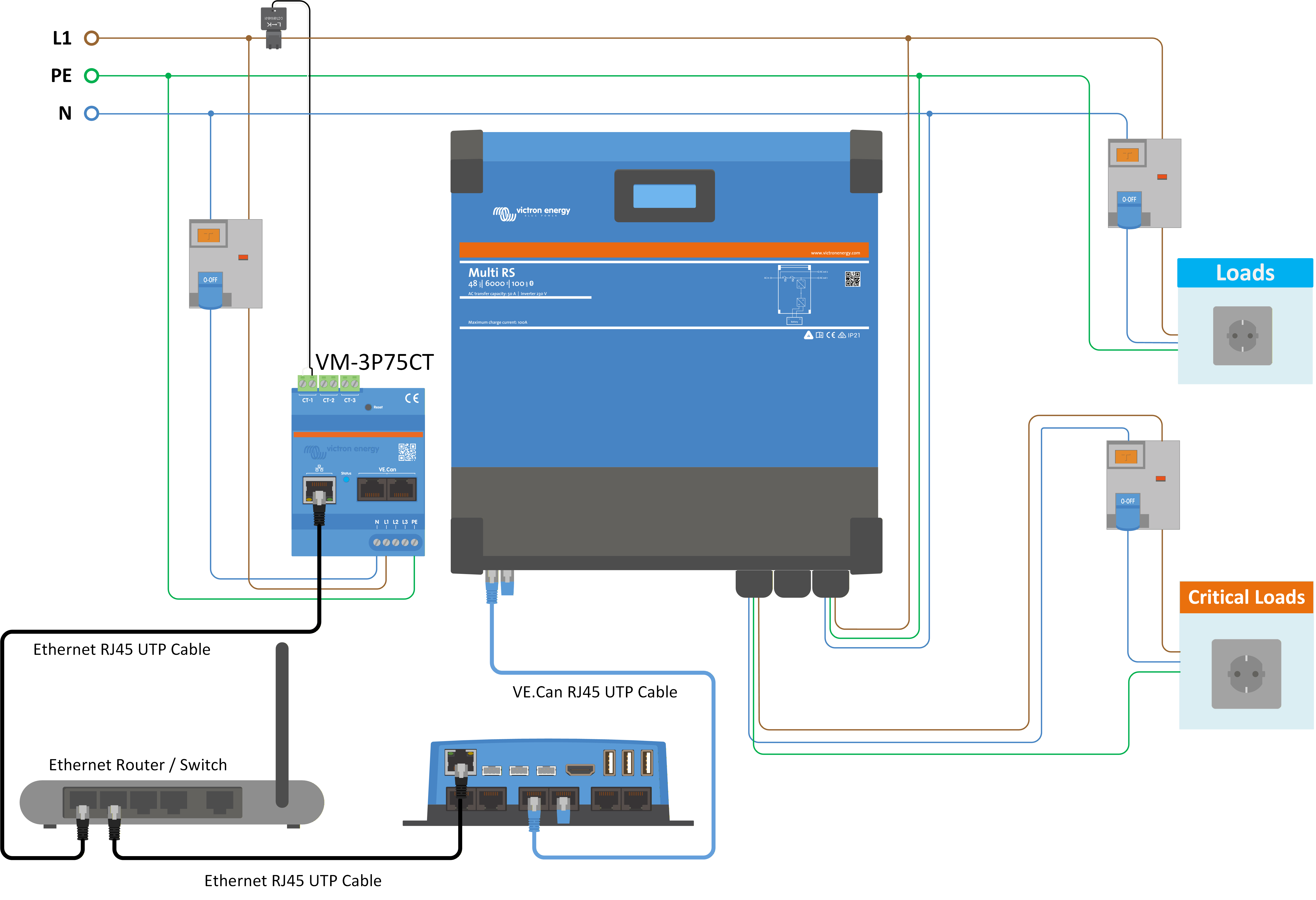
The above wiring example can be used when the energy meter role is set up as "Grid meter" or "Generator". The incoming current from the AC grid or a generator is measured before the AC input of the Multi RS, or any non-critical AC loads.
If "Energy meter support" is enabled, a current limit can be set at the energy meter to prevent excessive load on a weak AC grid. If the non-critical loads exceed the current limit at the energy meter then the Multi RS will begin to "power assist" to try and maintain the current limit at or below the set point.
|
|
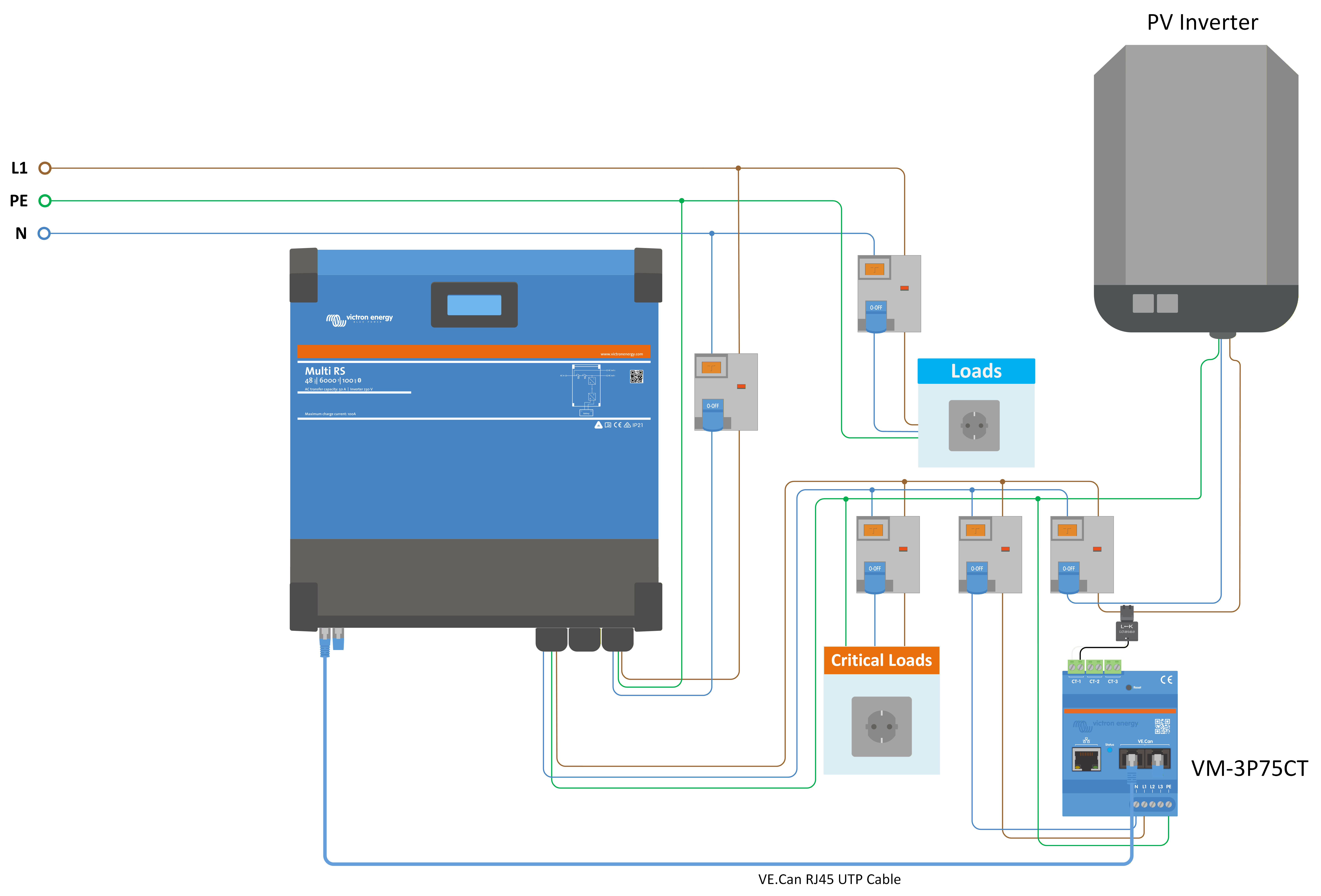
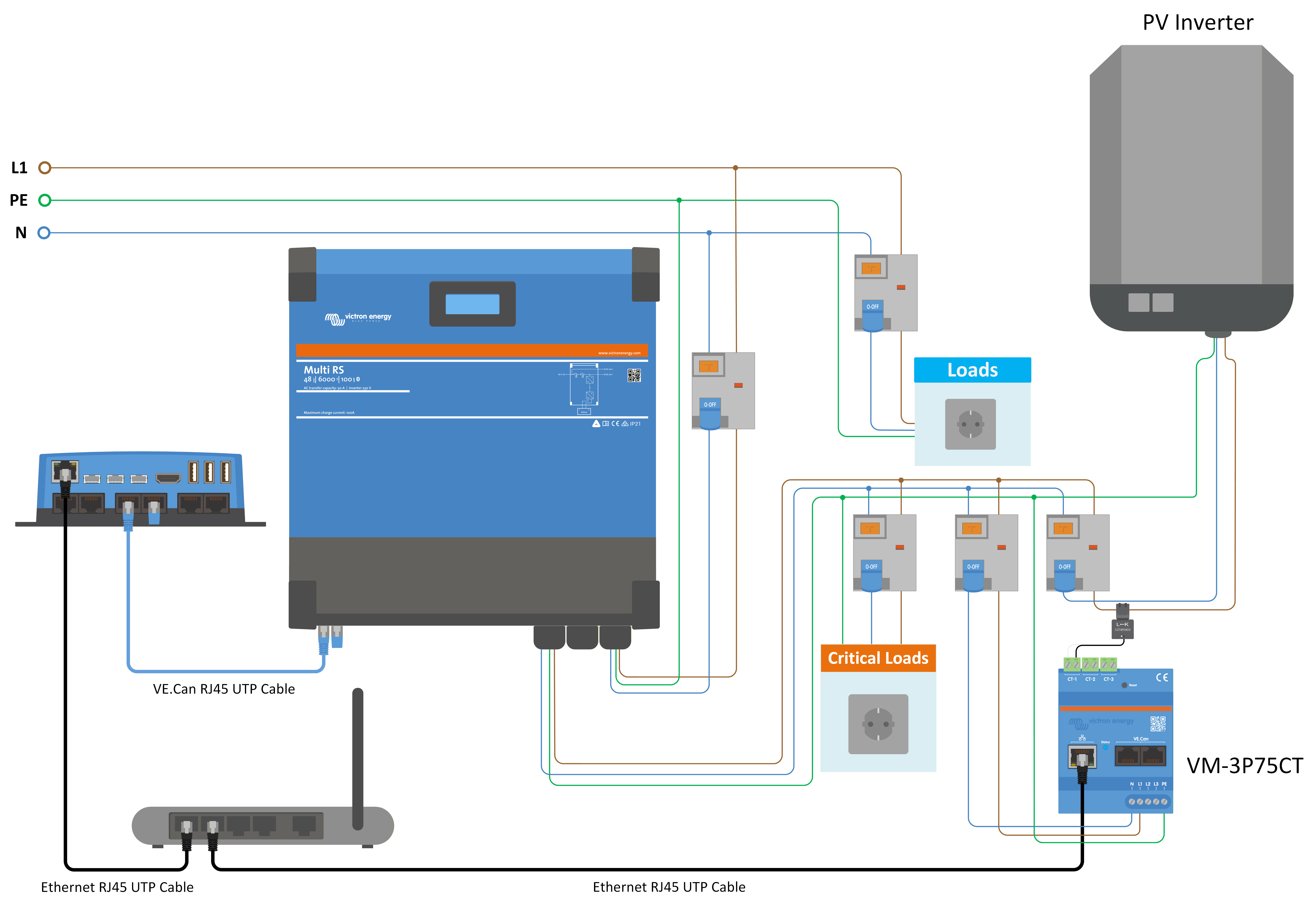
If a generic PV inverter is connected to the AC output of the Multi RS the energy meter role should be set to "PV Inverter" and wired to measure the current produced by the PV inverter.
|
|
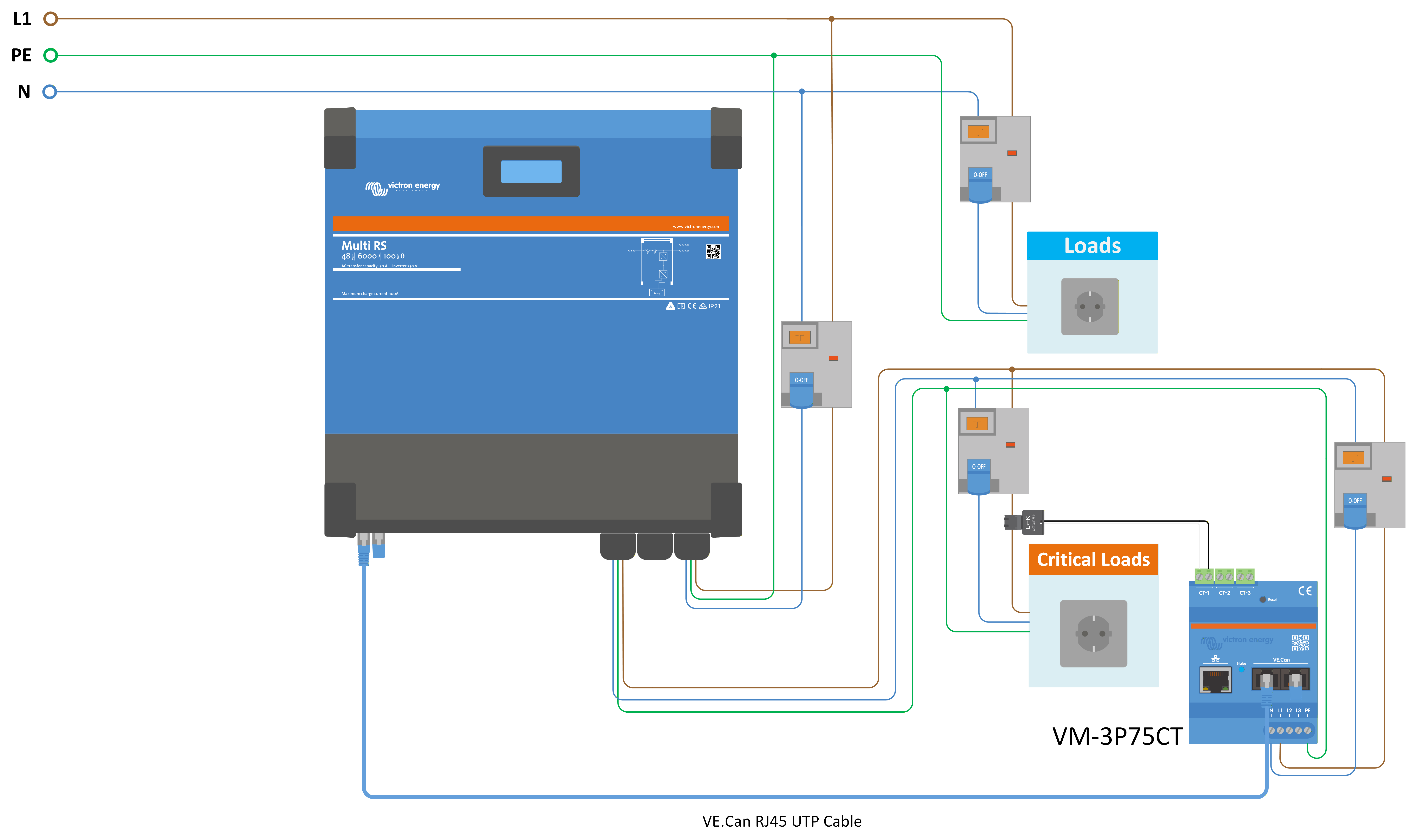
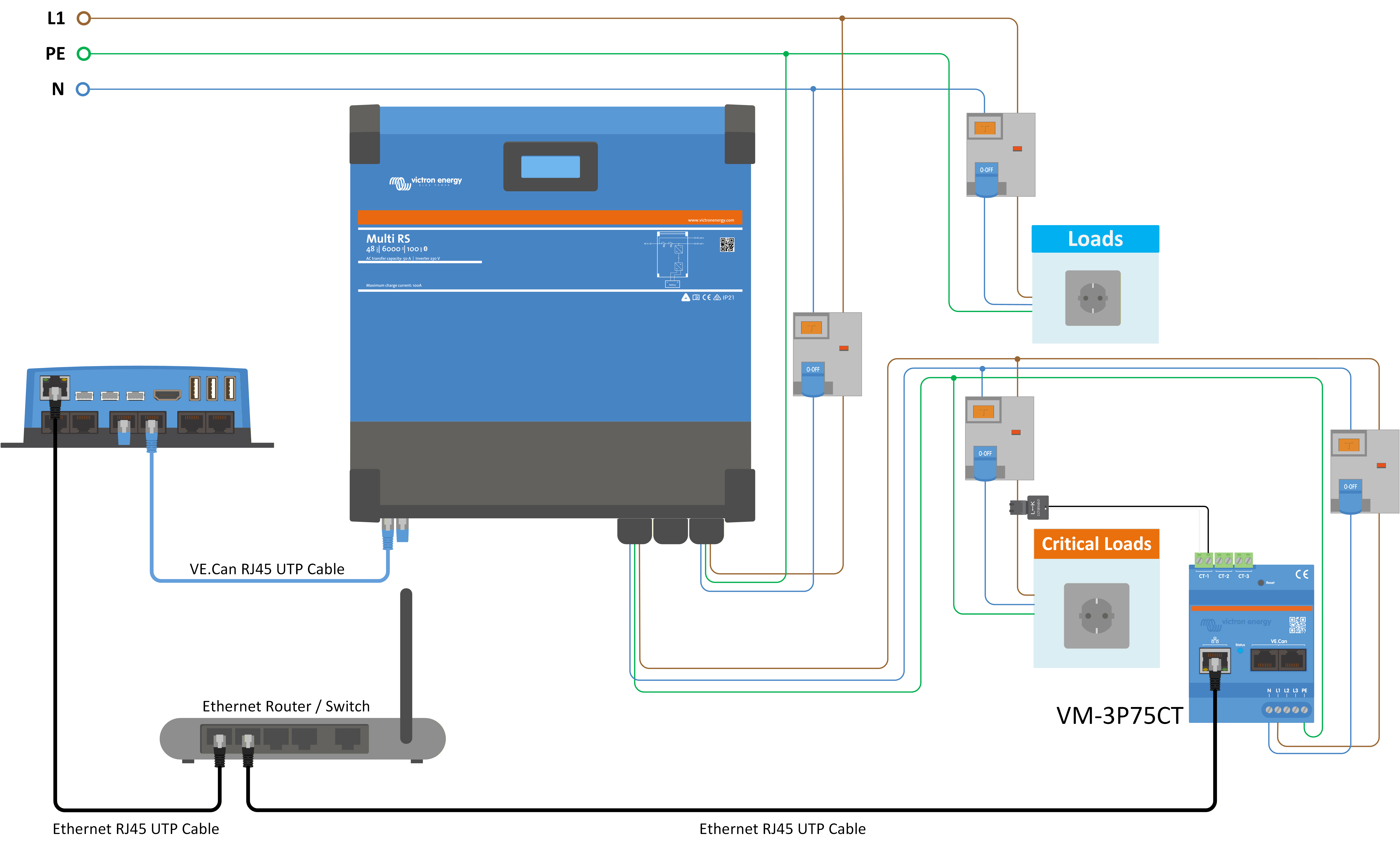
When the energy meter role is set to "AC load" then the energy meter can be wired to measure specific loads. For example, a water heater circuit could be measured to monitor its power consumption and also track the amount of energy it uses.