Multi RS

Generator programming

The Multi RS has a tolerance for irregularities on the AC input like fast frequency changes or voltage changes to improve reliability when connecting to generators.

Using a generator with the Multi RS requires firmware version v1.11 or later.

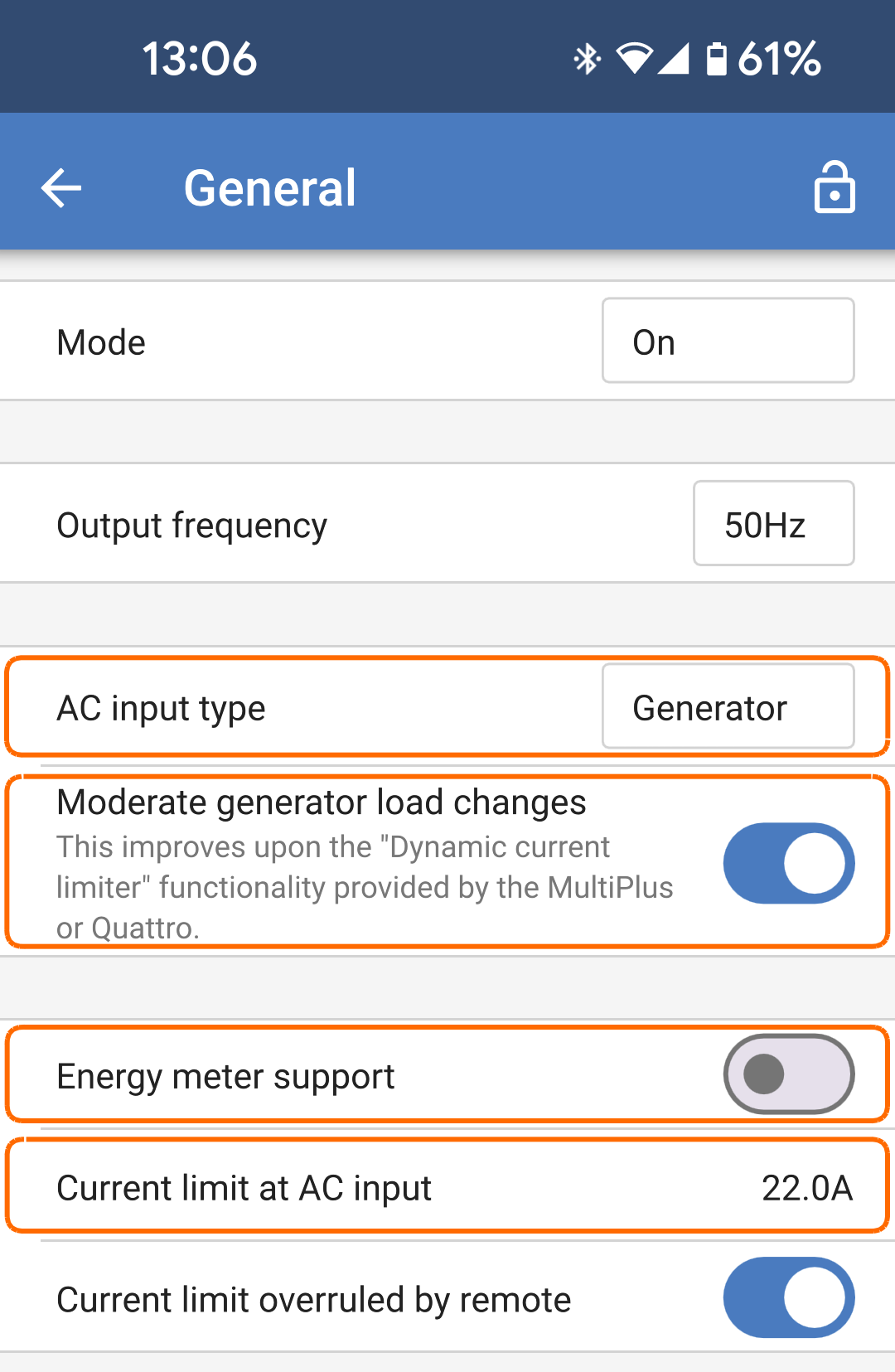
Set the following option on the General settings page:

  • Set the "AC input type" to "Generator".

  • "Moderate generator load changes" should be switched on.

  • Ensure that "Energy meter support" is switched off.

  • Adjust the input current limit to suit the power output of the generator.

MultiRS_Generator_general_settings.png

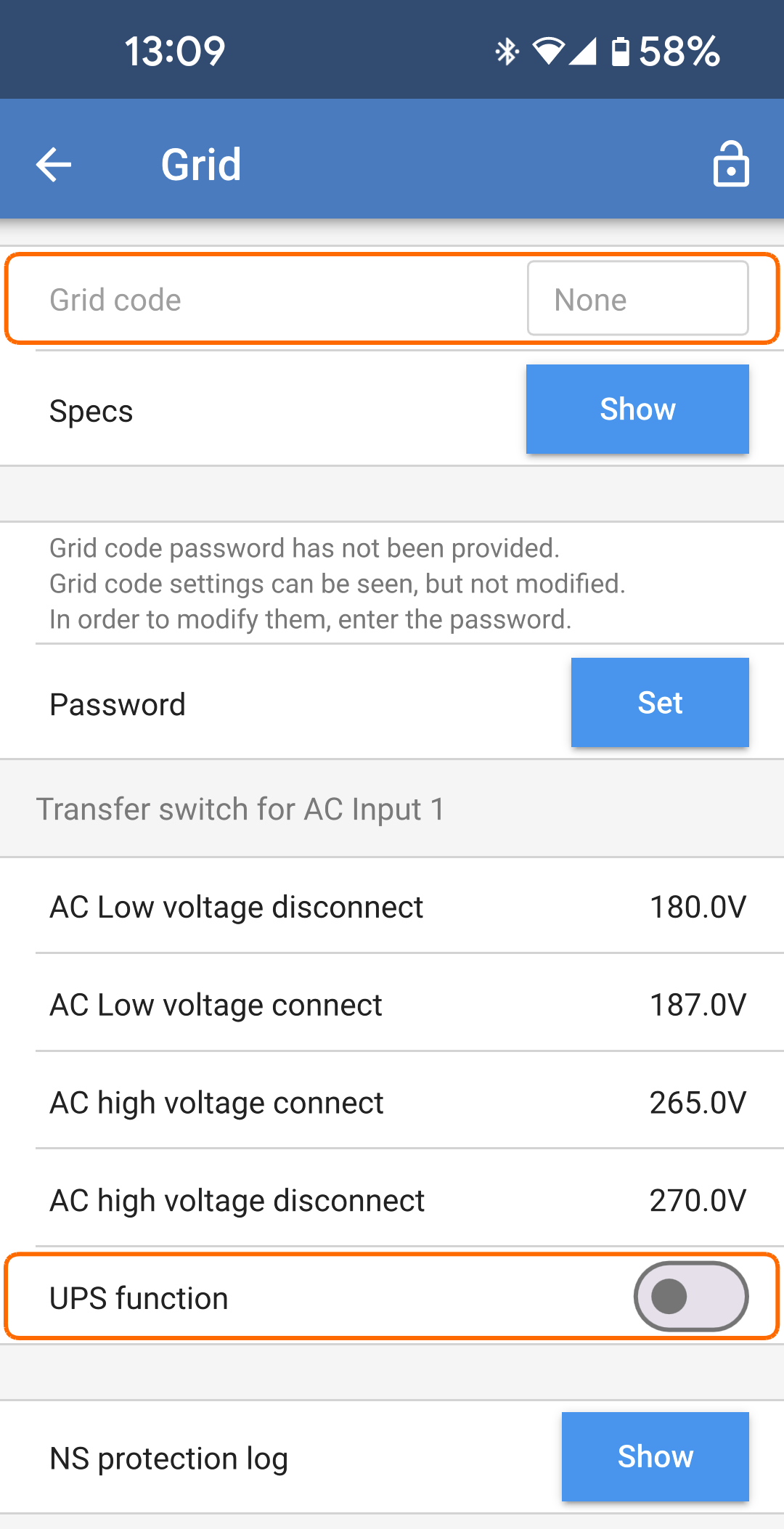
If no grid code is set then set the following on the Grid page:

  • Check that the "Grid code" is "None".

  • Switch the "UPS function" off.

    The 'UPS function' restricts the acceptance of an AC input to a very precise sine wave so that in the event of a fluctuation in the AC supply it is possible to maintain an apparent continuity of supply to the loads. This is incompatible with most generators and should be disabled when using a generator to improve reliable acceptance of the AC supply.

MultiRS_Generator_grid_settings.png

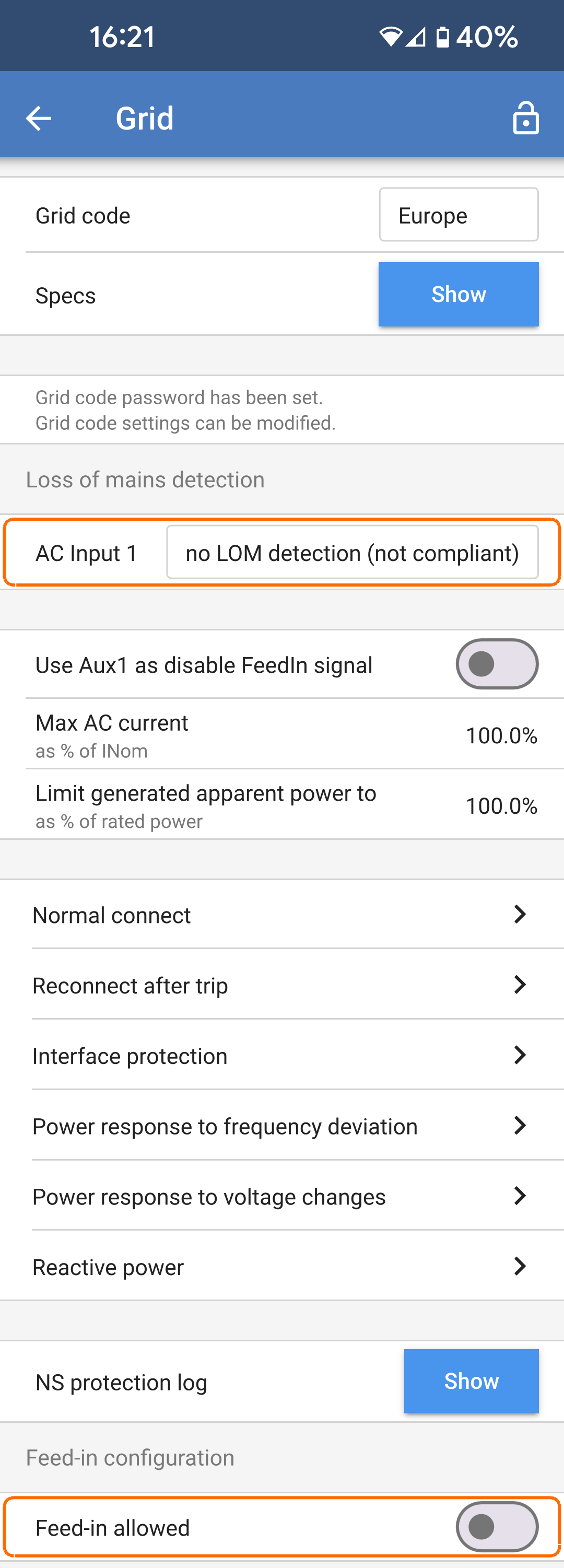
If a grid code is set then set the following two parameters on the Grid page:

  • The AC Input 1 LOM detection should be set to "no LOM detection (not compliant)".

    Caution

    Do not disable LOM detection when the Multi RS is connected to the grid.

    This option is only to be used when a generator is connected at the AC input.

  • Disable feed-in by switching the "Feed-in allowed" option off.

MultiRS_Generator_grid_settings_grid_code.png

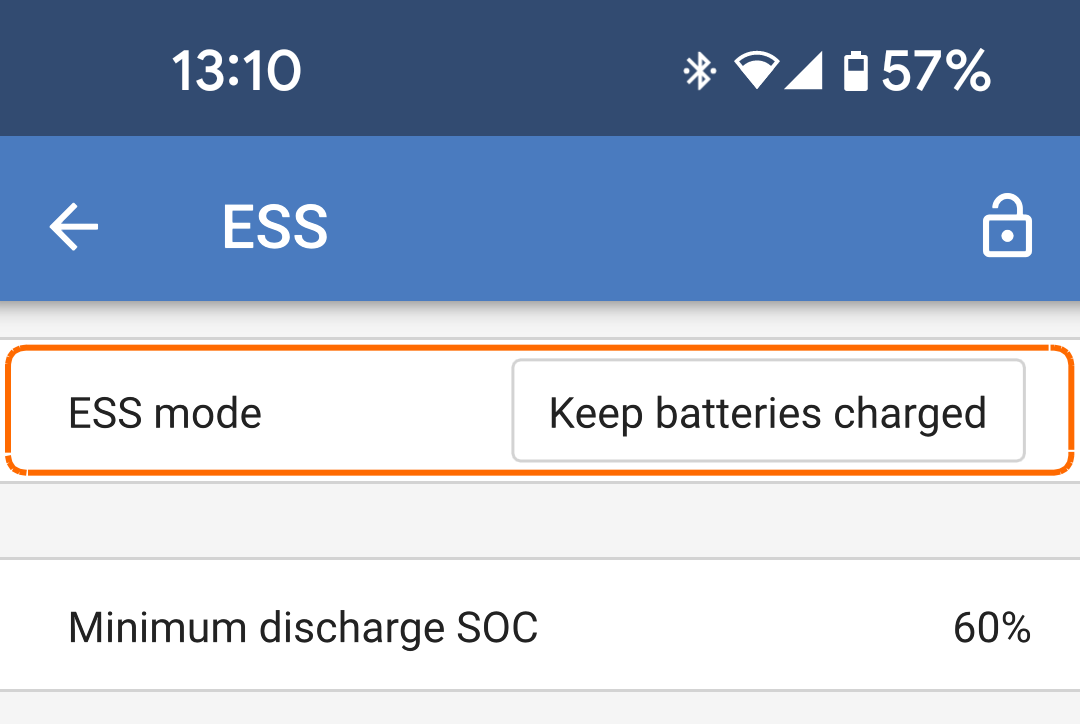
Ensure that the ESS mode is set to "Keep batteries charged".

MultiRS_Generator_ESS.png

The programmable relay contact of the Multi RS can be used to start and stop a generator. The setup is explained in the VictronConnect section.Relay

See Limitations chapter for additional charging power limitations.Limitations