Multi RS19 Solar

System

The System page allows setting up a Multi RS19 Solar to be standalone or part of a three phase system. By default, it is set up to work as a single Multi RS19 Solar in standalone mode.

Note

The Multi RS19 Solar can only be configured as standalone or three phase. A parallel configuration is not currently possible.

There will be different settings available depending upon which type of System configuration is selected.

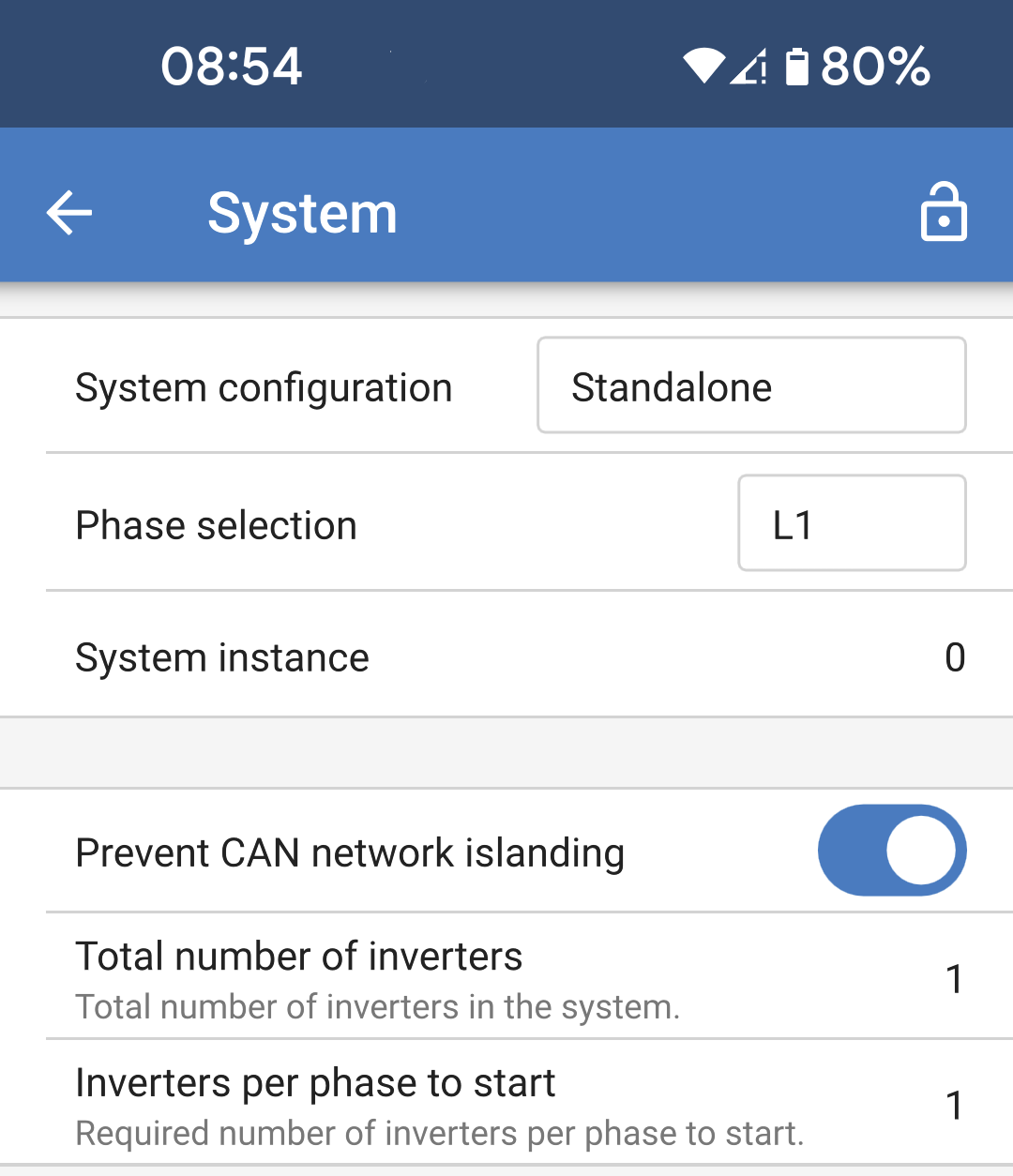
The settings described here relate to a standalone System configuration.

  • System configuration: Select either standalone or a three phase configuration.

  • Phase selection: Choose which phase this current Multi RS19 Solar will be connected to. Each Multi RS19 Solar must be set to a different phase since only one can be allocated per phase.

  • System instance: Multi RS19 Solar units with the same instance number will work together as a group on the AC side.

    If you change the System instance then you can have multiple groups of Multi RS19 Solar units on the same physical VE.Can bus operating independently. Different groups will not synchronize with each other.

  • Prevent CAN network islanding: Enables the CAN network islanding detection. The default setting is enabled.

  • Total number of inverters: This option will not be available if the above option "Prevent CAN network islanding" is not enabled.

    Specify the total number of inverters that make up the System. In a standalone System, this will be 1.

    If the CAN network is split into segments, this setting is used to determine the largest and shut down the smaller segment to prevent them from continuing on their own unsynchronised.

    This results in a more reliable System compared to the smaller segment trying to continue on its own unsynchronised (which will lead to overload or other less graceful shutdown issues caused by an unsynchronised AC output sine wave).

  • Inverters per phase to start: This is the minimum number of inverters which must be present per phase when starting the System. Given that there can only be one Multi RS19 Solar per phase, this should be set to 1.

MultiRS_System_Standalone.png

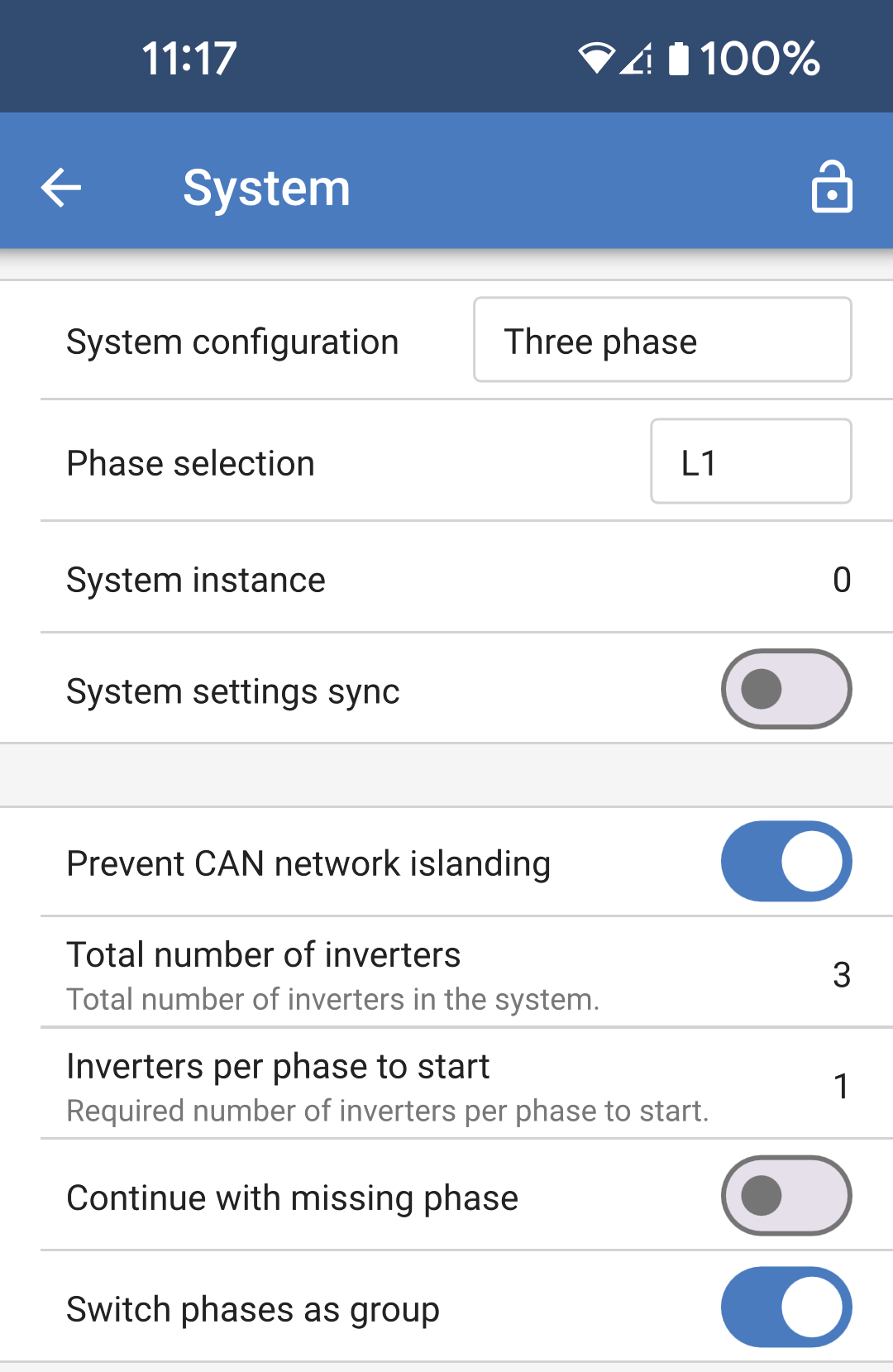
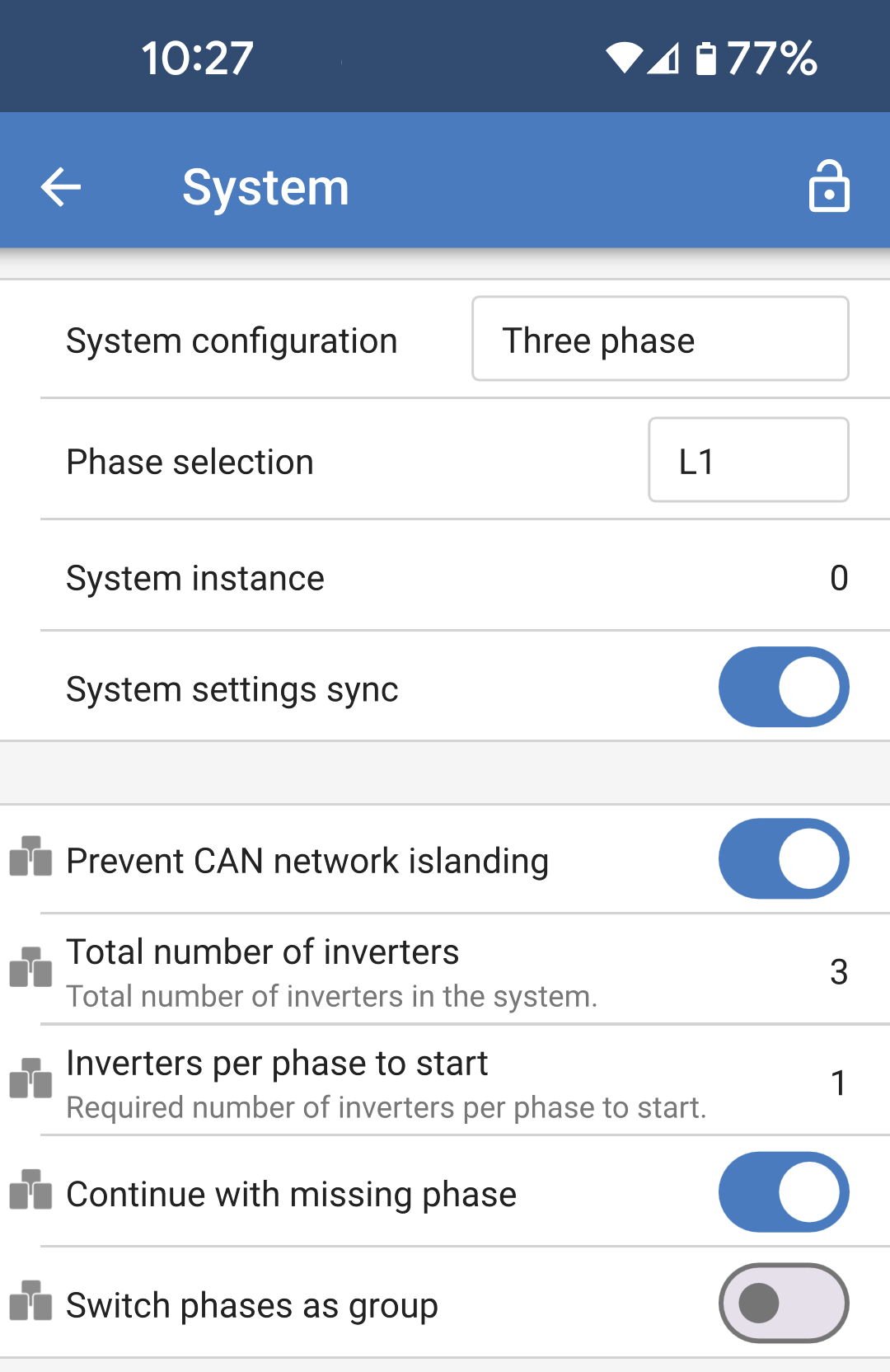
The settings described here relate to a three phase system configuration.

  • System configuration: Select either standalone or a three phase configuration.

  • Phase selection: Choose which phase this current Multi RS19 Solar will be connected to. Each Multi RS19 Solar must be set to a different phase since only one can be allocated per phase.

  • System instance: Multi RS19 Solar units with the same instance number will work together as a group on the AC side.

    If you change the System instance then you can have multiple groups of Multi RS19 Solar units on the same physical VE.Can bus operating independently. Different groups will not synchronise with each other.

  • System settings sync: This option allows the synchronisation of certain settings across multiple Multi RS19 Solar units in a group. This helps to ease system configuration and to ensure consistent settings between members of the group.

    See more details in the next section.

  • Prevent CAN network islanding: Enables the CAN network islanding detection. The default setting is enabled.

  • Total number of inverters: Specify the total number of inverters that make up the System. In a three phase System with one inverter per phase, this will be 3.

    Note

    This option will not be available if the above option "Prevent CAN network islanding" is not enabled.

    If the CAN network is split into segments, this setting is used to determine the largest and shut down the smaller segment to prevent them from continuing on their own unsynchronised.

    This results in a more reliable System compared to the smaller segment trying to continue on its own unsynchronised (which will lead to overload or other less graceful shutdown issues caused by an unsynchronised AC output sine wave).

  • Inverters per phase to start: This is the minimum number of inverters which must be present per phase when starting the System. Given that there can only be one Multi RS19 Solar per phase, this should be set to 1.

  • Continue with missing phase: This is disabled by default. If enabled, then it would be possible for two other Multi RS19 Solar units to continue providing power to their respective phase.

    Warning

    Do not enable this option if you have three phase loads such as induction motors, which may be damaged if run with a missing phase.

    Warning

    If you have configured the System to continue to operate with a missing phase, and there is an issue with the VE.Can communications between the Multi RS19 Solar units (such as the wire being damaged), then the Multi RS19 Solar units will continue to operate, but will not be synchronising their output wave forms.

  • Switch phases as a group: Disabling this option will allow the System to continue working even if one or two phases from the AC input are missing. The System will continue to produce three phase output from the AC-Out terminals.

    This can also be used if a three phase output is required, but there is only one phase available from the grid or generator.

MultiRS_System_Three_phase.png

System settings sync:

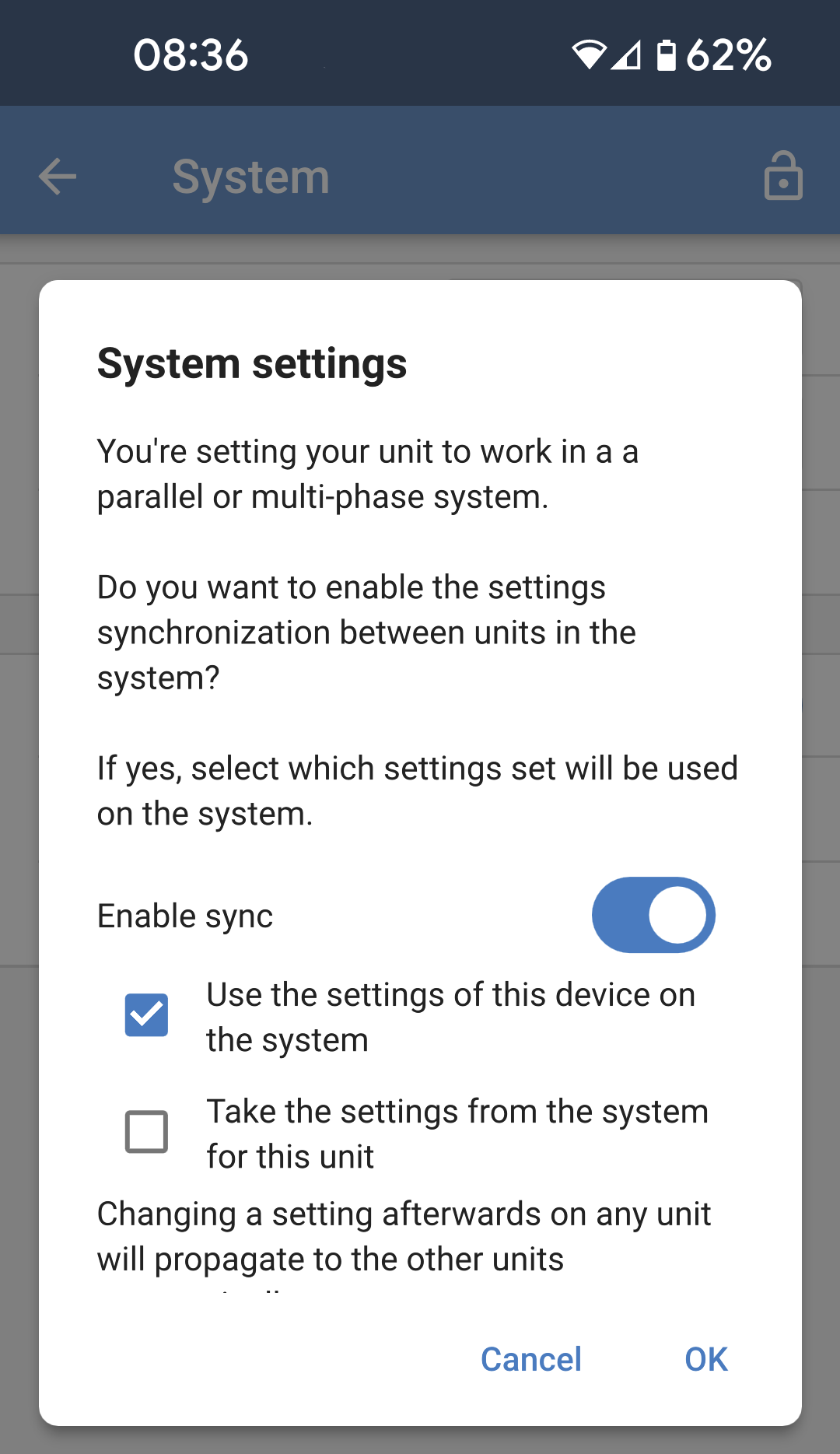
When System settings sync is enabled, or when the System configuration is changed from "Standalone" to "Three phase", then a popup will appear asking which direction you want the settings to be synchronised for this Multi RS19 Solar.

Note

When settings sync is enabled, a change on any device in the group will be automatically propagated to the other Multi RS19 Solar units in the group.

  • You can choose to disable sync if you don't want to use it.

  • If this is the first Multi RS19 Solar to be configured in this System, then you would likely choose to use the settings on this Multi RS19 Solar for the rest of the system.

  • If this Multi RS19 Solar is a new member of the group, or is a new Multi RS19 Solar replacing a faulty one, then you can take the settings for this Multi RS19 Solar from the group.

MultiRS_System_Settings_Sync.png

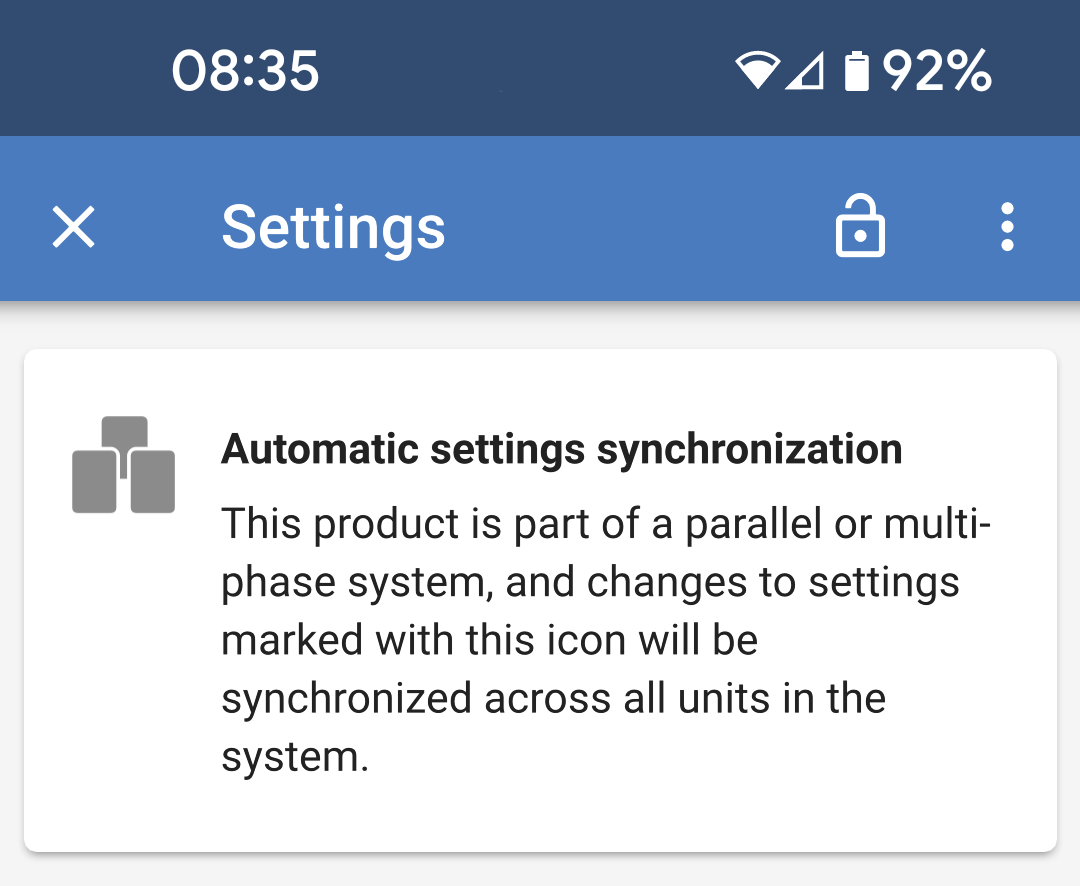
Once System settings sync is enabled on the Multi RS19 Solar, a banner will be displayed at the top of the main Settings page.

This serves as a reminder that automatic settings synchronization is active and any changes made which are marked with this icon will be propagated to other units.

MultiRS_System_Settings_Sync_Banner.png

These are examples of synchronized settings, identified by their associated icons to the left.

MultiRS_System_Settings_Sync_Symbols.png