BMS-Can port
The BMS-Can port provides a 500 kbit/s data connection to the BMS of managed batteries supporting the CAN-bus BMS LV protocol.
It is only intended to be used in small systems without a GX device and a single Multi RS19 Solar.
Limitations
The data rate is fixed at 500kbit/s. It cannot be adjusted to 250kbit/s.
The BMS-Can port on the Multi RS19 Solar should only be used in small systems which don't have a GX device. If a GX device is present in the system, then use the BMS-Can port on the GX device.
There are no DVCC settings available in the Multi RS19 Solar. Connect the BMS to the BMS-Can port of a GX device to use these features.
In most cases there is a GX device in the system, so the battery's BMS communication port should be connected to the BMS-Can port on the GX device.
A Victron Lynx BMS should be connected to the VE.Can port in any case, whether a GX device present or not.
Caution
Do not use the BMS-Can port if there is more than one Multi RS19 Solar in the system such as three phase systems. Use the BMS-Can port on the GX device.
Caution
Do not use the BMS-Can port of the Multi RS19 Solar in systems which have a GX device. Connect managed batteries to the BMS-Can port on the GX device.
Caution
Do not connect cables between the BMS-Can port on the Multi RS19 Solar and the GX device.
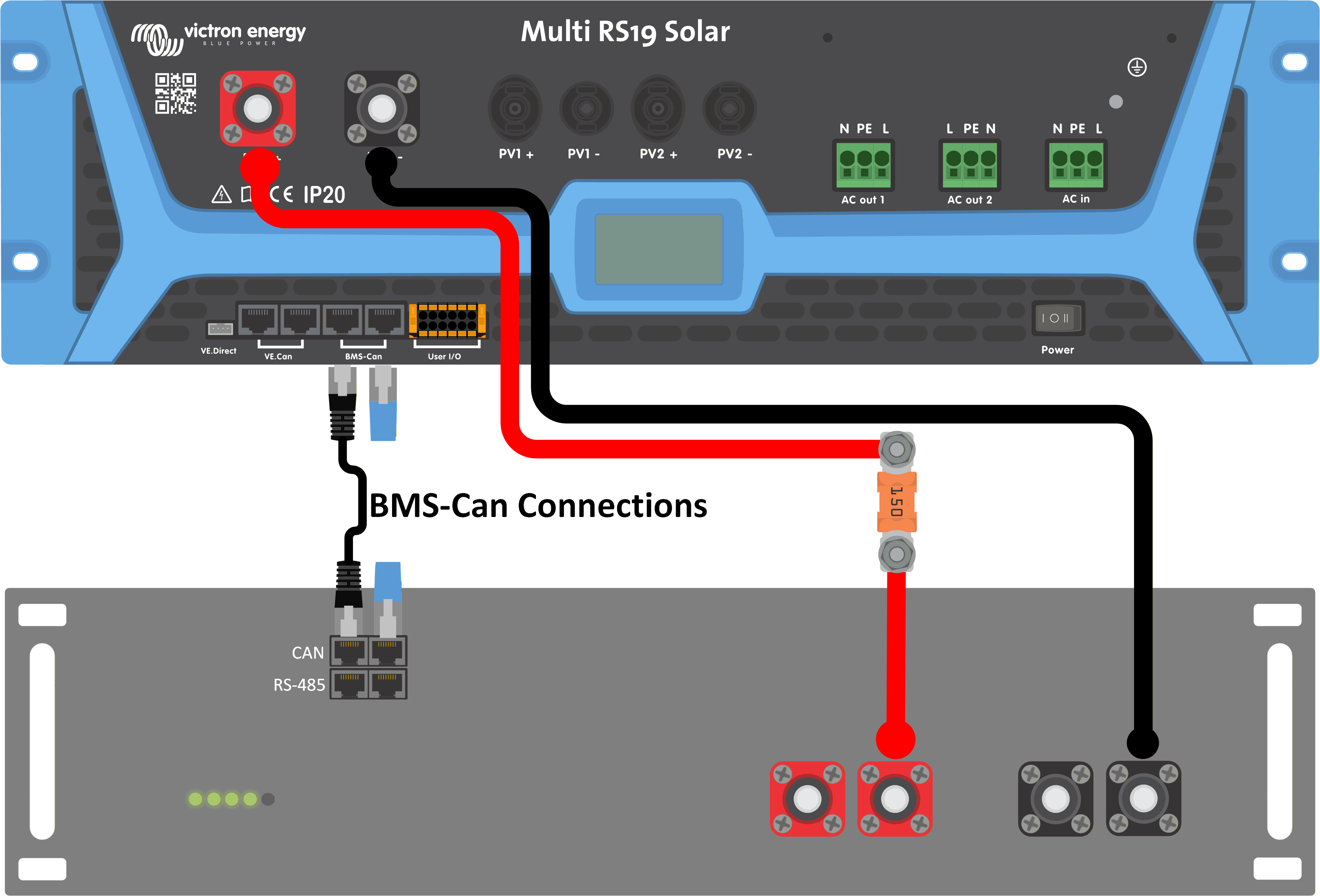
In systems without a GX device, the battery's BMS can be connected directly to the BMS-Can port of the Multi RS19 Solar. |
| |
If a GX device is present in the system, then the battery's BMS should be connected to the BMS-Can port of the GX device. Connect the GX device to the Multi RS19 Solar using the VE.Can ports. | 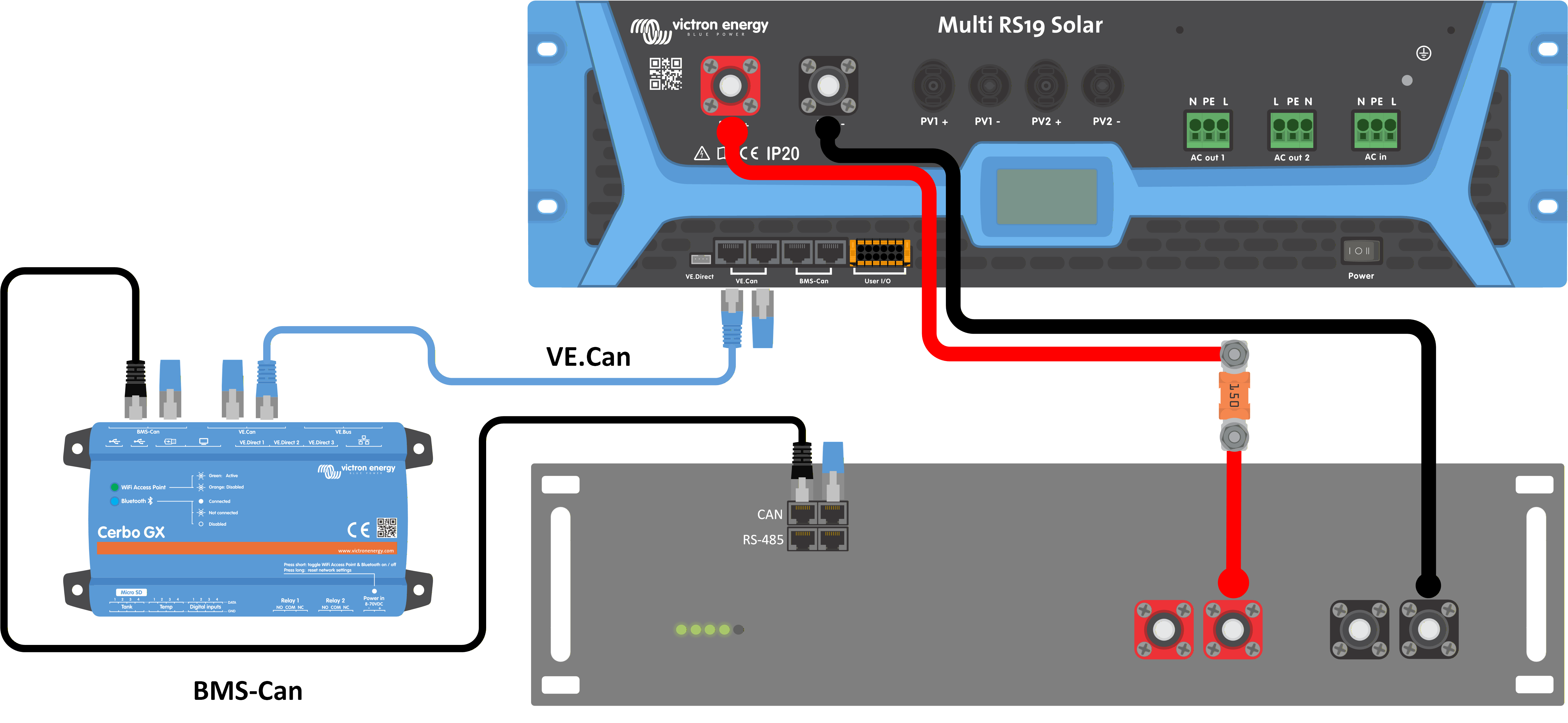 |
Configuration
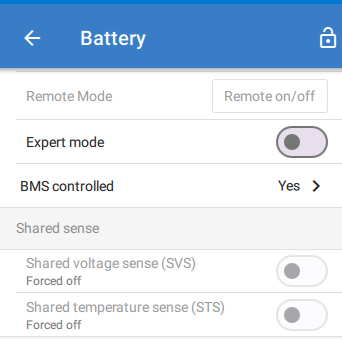
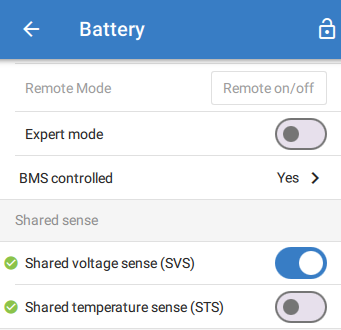
When a managed battery is connected to the BMS-Can port, the shared sense options will appear in the Battery settings menu in VictronConnect.
Note
If there is no managed battery connected to the BMS-Can port of the Multi RS19 Solar, then these settings will not be available.
Note
If a managed battery is connected to the BMS-Can port of a GX device, these settings will not appear here. In that case, the settings will appear in the settings menu of the GX device.
If a supported battery type is connected to the BMS-Can port of the Multi RS19 Solar, then the settings will appear, but they will be set according to the requirements of that particular battery type and will be greyed out. You will not be able to change these settings, but they are there for you to see how they have been configured. See the battery compatibility list: https://www.victronenergy.com/live/battery_compatibility:start |
| |
If an unsupported battery type is connected to the BMS-Can port of the Multi RS19 Solar, then the settings will appear. You'll need to adjust these settings according to the specifications of the battery manufacturer. |
|