3. Installation
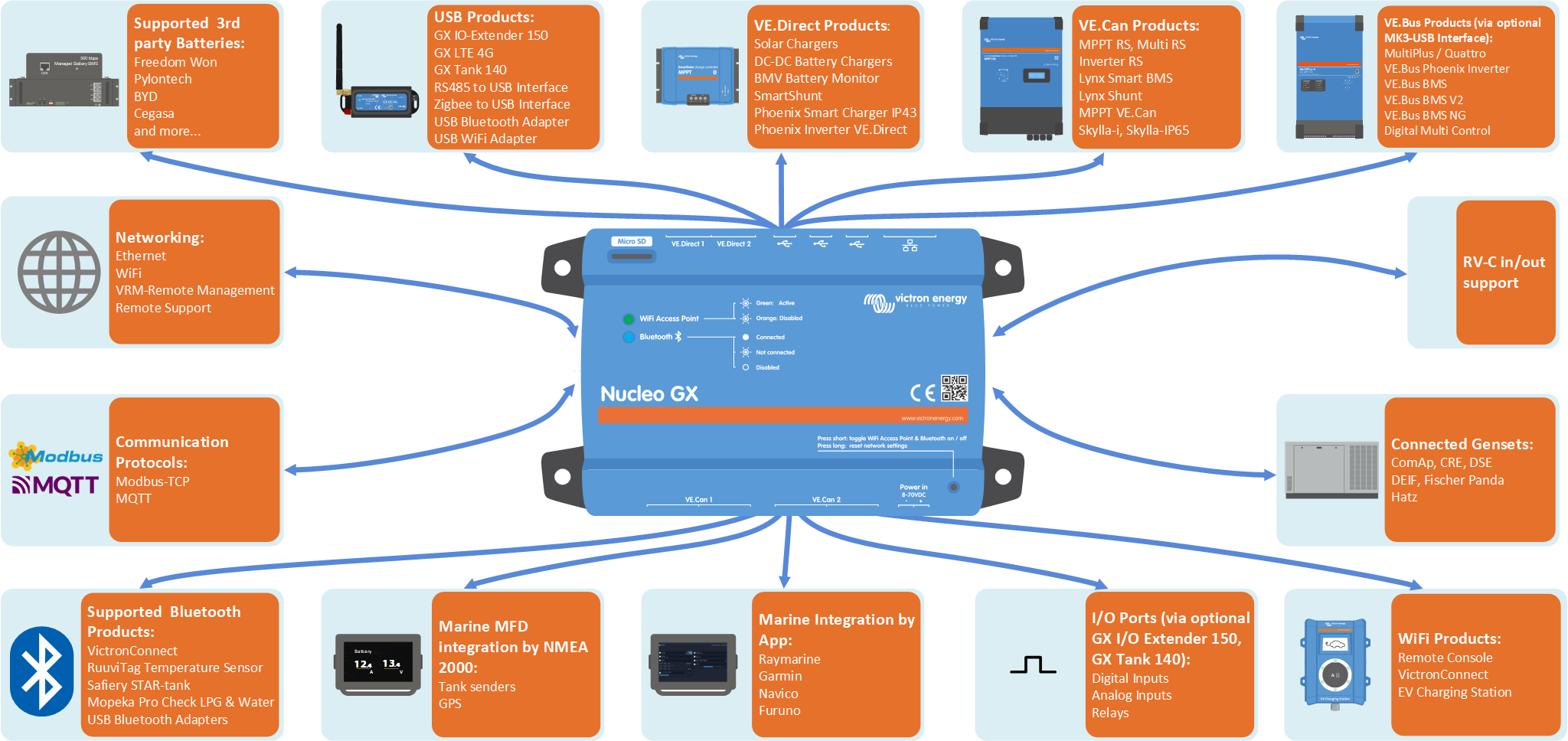
3.1. Nucleo GX Overview of connections
Communication ports | Other |
|---|---|
2x VE.Direct | MicroSD Card Slot (max. 32GB) Power in port (8 - 70VDC) Button (Reset) Buzzer LEDs |
1x VE.Can (non-isolated) 1x VE.Can (isolated) | |
Ethernet | |
WiFi 2.4GHz (802.11 b/g/n) incl. WiFi Access Point | |
Bluetooth Smart | |
3x USB Host ports (max 1,5 A) | |
The Nucleo GX does not provide a VE.Bus port, relays, analogue inputs, or an HDMI output. These functions can be added using the MK3-USB interface (VE.Bus), GX I/O Extender 150 (relays, digital I/O), GX Tank 140 (wired tank sensors) or supported wireless sensors such as Ruuvi (Bluetooth sensors), and an Android display (via WiFi). | |
The Nucleo GX supports a maximum of 25 VE.Direct devices, regardless of whether they are connected via VE.Direct ports or USB. However, this limit may be lower in complex systems, for example, those with multiple PV inverters or synchronised inverters. Always include some headroom in your system design to ensure reliable operation. |
3.2. Mounting options and accessories
The following mounting options and accessories are available for purchase:
3.3. Powering the Nucleo GX
The device is powered via the Power in V+ connector and accepts 8 to 70V DC. It cannot be powered through any other connection (e.g. Ethernet or USB). The supplied DC power cable includes an inline 3.15 A slow-blow fuse.
If the DC voltage exceeds 60V, the Nucleo GX is classified as a “built-in product”. Installation must prevent user access to the terminals to comply with safety standards.
Recommendation:
Avoid powering the GX device from the AC-out of an inverter/charger. In the event of a shutdown due to inverter overload, high temperature, or low battery voltage, the GX device will also shut down, losing all monitoring and remote access. It is strongly recommended to power the GX device directly from the battery.
Isolation considerations
The GX device connects to various system components. To prevent ground loops, ensure appropriate isolation practices are followed. In most cases, this is not an issue, but proper system design remains essential.
Port type | Cerbo GX MK2 & MK3 | Ekrano GX | Nucleo GX |
|---|---|---|---|
VE.Bus | Isolated | Isolated | N/A |
VE.Direct | Isolated | Isolated | Isolated |
VE.Can | 1) | 1) | 1) |
USB 3) | Not isolated | Not isolated | Not isolated |
Ethernet 2) | Isolated | Isolated | Isolated |
1) VE.Can port 1 is galvanically isolated, VE.Can port 2 is non-isolated 2) The Ethernet port is isolated, except for the shield: use unshielded UTP cables for the Ethernet network. 3) USB ports are not isolated. Connecting a WiFi dongle or GPS dongle does not create any problems, as these devices are not powered by an external supply. Even when using a separately powered USB hub, a ground loop may occur. However, extensive testing has shown that this does not cause operational issues. | |||
Extending USB Ports
The number of USB ports can be expanded using a USB hub. However, the onboard USB ports have limited power availability.
Recommendation:
Always use powered USB hubs and select high-quality products to minimise issues.
To increase the number of VE.Direct devices, you can use a VE.Direct to USB adapter. Please see this document for the limit of how many devices can be attached to various different GX devices.