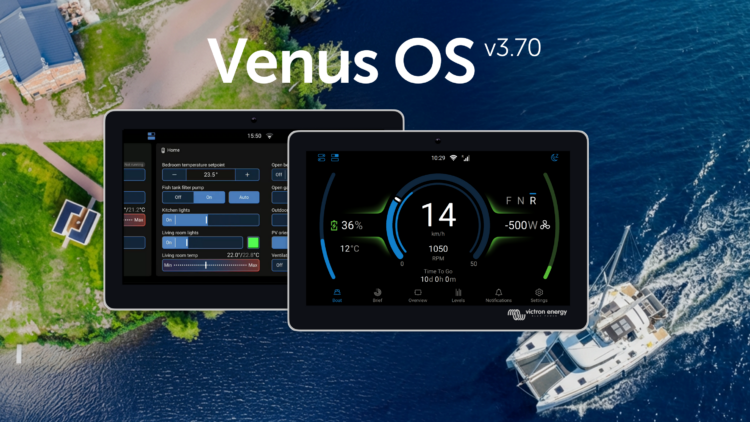
Victron GX device firmware v3.70 is now available. This release brings a greatly expanded switch pane with Node-RED virtual switches, improvements to GX Boat Page and E-drive integrations, cell level monitoring for Lynx Smart BMS NG, Garmin EmpirBus digital switching, Shelly smart device integration, and much more.
The switch pane gets even better
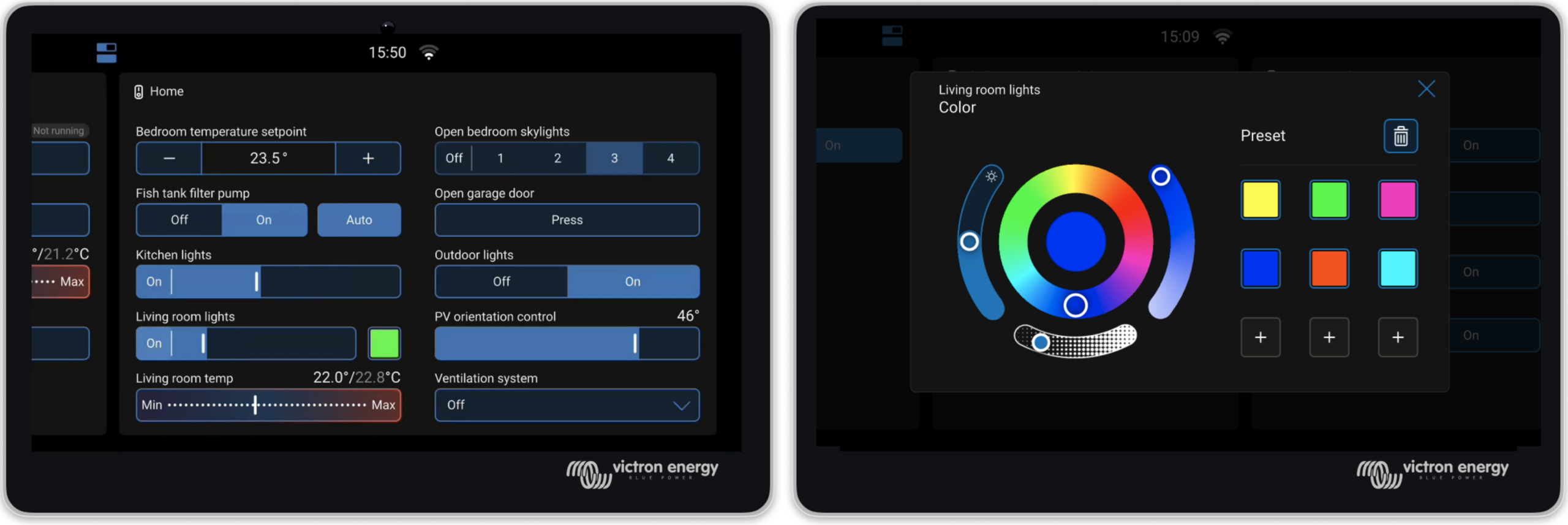
The switch pane was introduced in Venus OS v3.60 with support for the Energy Solutions SmartSwitch. In v3.70, it’s grown to become a central point for an entire digital control system.
GX relays join the switch pane. The built-in relays on the GX device can now be controlled from the switch pane. Set a relay’s function to Manual under Settings → Integrations → Relays, and it appears as a controllable output.
Node-RED virtual switches and supported 3rd party digital switches (such as Garmin, Shelly & Safiery) now also appear in the switch pane, enabling customisable controls.
Marine MFD App now includes switch pane support. GX relays, digital switches, and Node-RED virtual switches can be viewed and controlled directly from an MFD display.
GX Boat Page: Various enhancements and new CANopen integration
Venus OS v3.70 introduces new CANopen profiles, expanding integration options for electric propulsion systems, including Sevcon and Curtis motor controllers. This CANopen integration path is an addition to the already existing NMEA2000 integration.
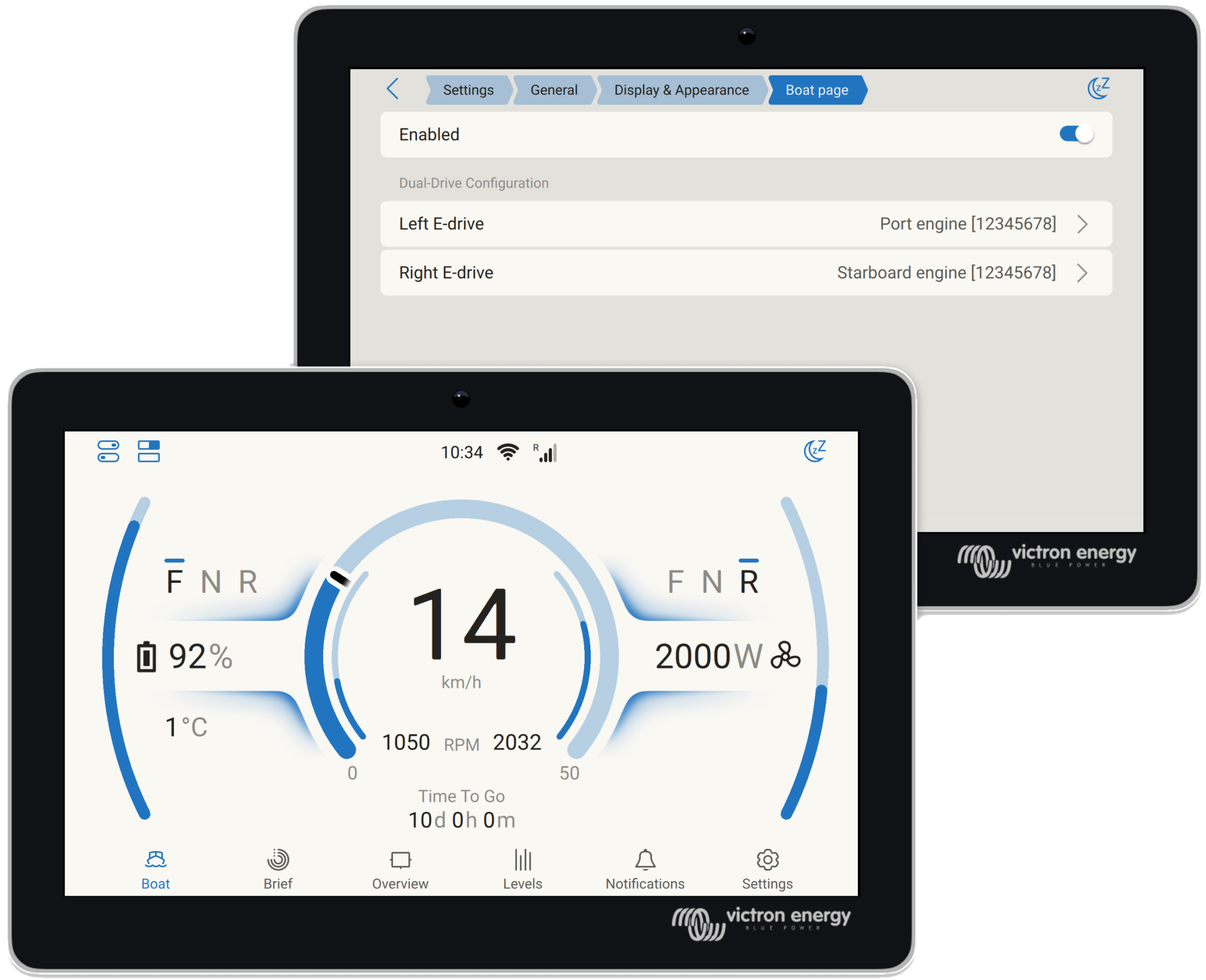
Together, these options enable electric propulsion monitoring on the GX device for an even wider range of setups, displaying motor RPM, power, current, temperature, and direction.
Enhancements for the GX Boat Page apply to both CANopen and NMEA2000 integrations and include:
- Support for dual motor setups
- Visualisation of regeneration
- Smoother RPM gauge animations
- Option to adjust for inverted motor direction
Lynx Smart BMS NG individual battery and cell monitoring
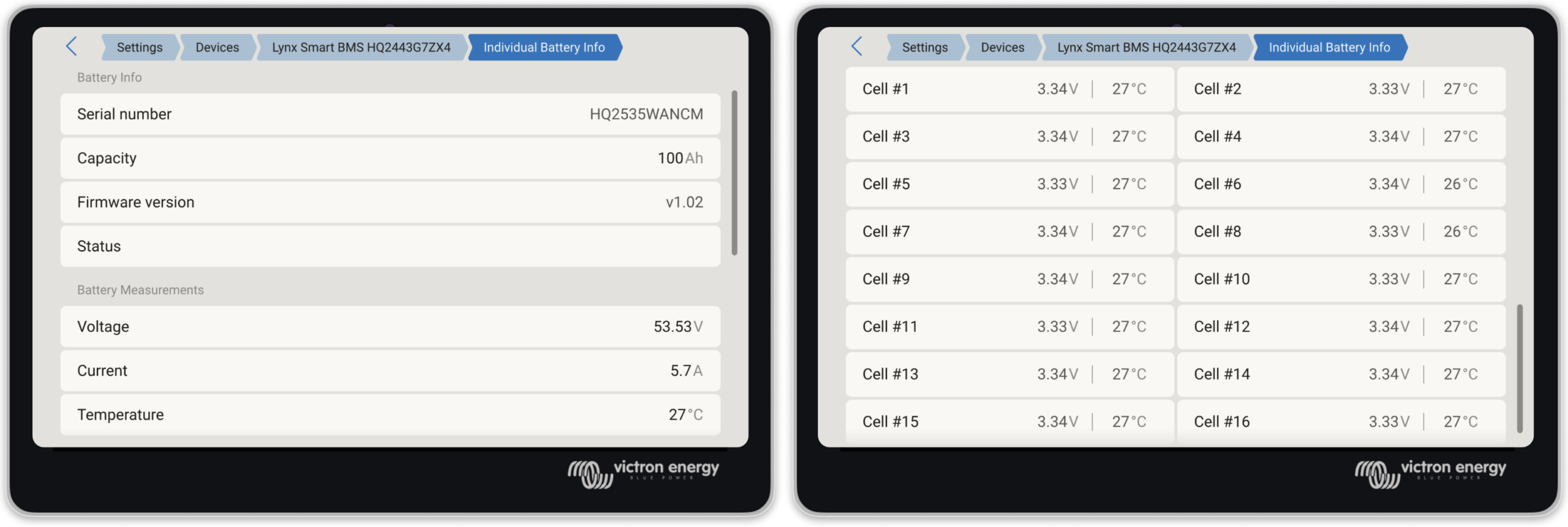
Detailed information about each specific battery connected to a Lynx Smart BMS NG, including individual cell voltages, and cell temperatures for each battery can now been seen on the GX.
Node-RED: virtual switches and smarter workflows
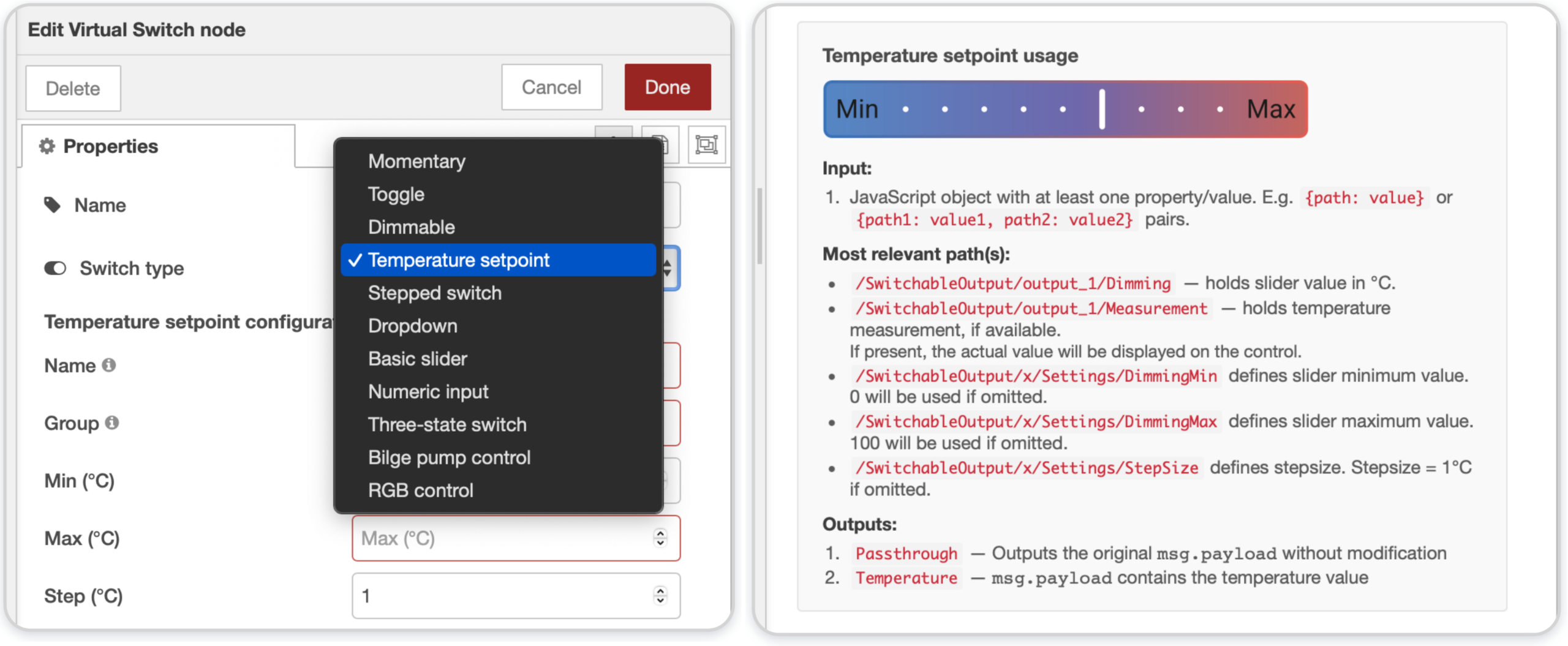
Building on the virtual devices introduced in v3.60, Node-RED now offers a powerful set of virtual switch types. These create interactive controls in the switch pane that can be linked to any automation logic in Node-RED flows. This bridges Node-RED programming and the normal GX user interface.
A significant workflow improvement is the ability to set multiple properties of a virtual device in a single message, reducing both CPU usage and flow complexity. Where previously you might have needed four or five separate inject nodes to configure a virtual device, it can now be done with one.
Input nodes have a new feature called “conditional evaluation” which is useful for triggering actions when values cross thresholds (e.g., “battery SOC below 20%“). Victron nodes configured to evaluate conditions can now output TRUE/FALSE on a second output, including combining two conditions (eg. SOC% and PV power) with AND/OR logic.
A brief snippet of documentation has been added to each Victron node to make it quicker and easier to understand how to use them.
Garmin EmpirBus digital switching
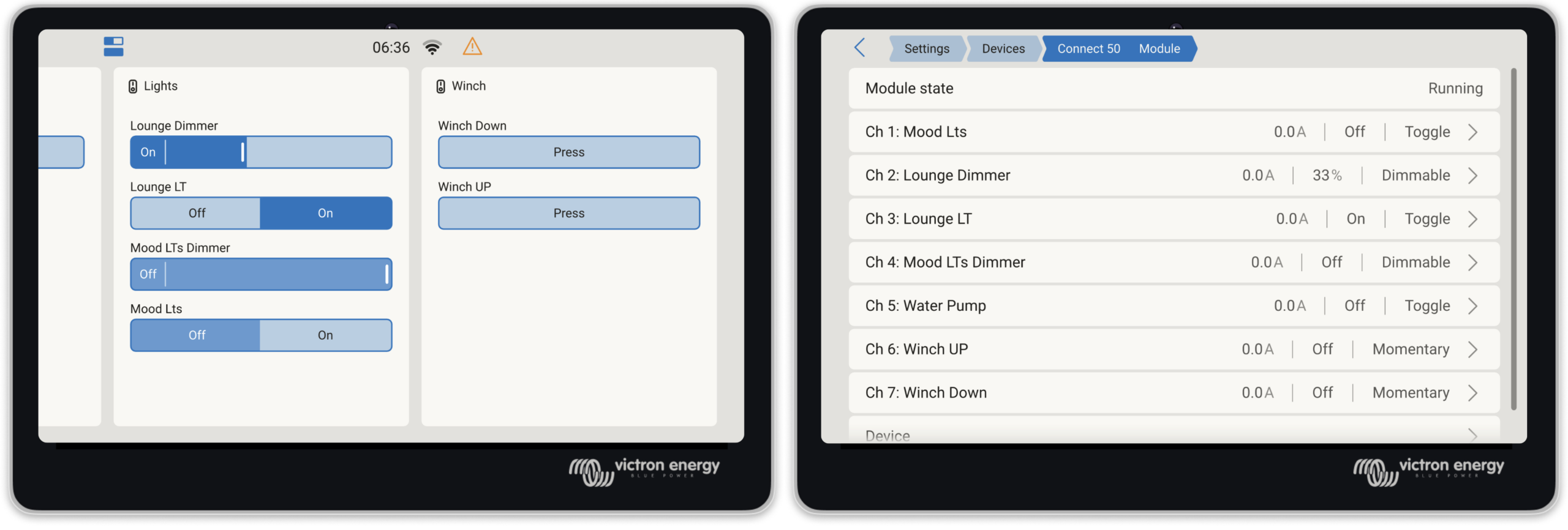
A welcome addition for RV builders, boatbuilders, and OEMs, Garmin EmpirBus digital switching is now supported in the switch pane on both the GX display, and via remote console on VRM.
New features also improve integration with Garmin and other NMEA 2000-equipped marine displays.
Alarms from the GX device are now transmitted onto the NMEA 2000 network. Garmin MFDs will visualise these alerts, giving crew immediate awareness of system warnings from the helm.
Allow for Internet access. In systems where the GX device is connected to a Garmin system using ethernet, and then want to use WiFi for internet, it is now possible to select which network interface is internet enabled.
Shelly integration
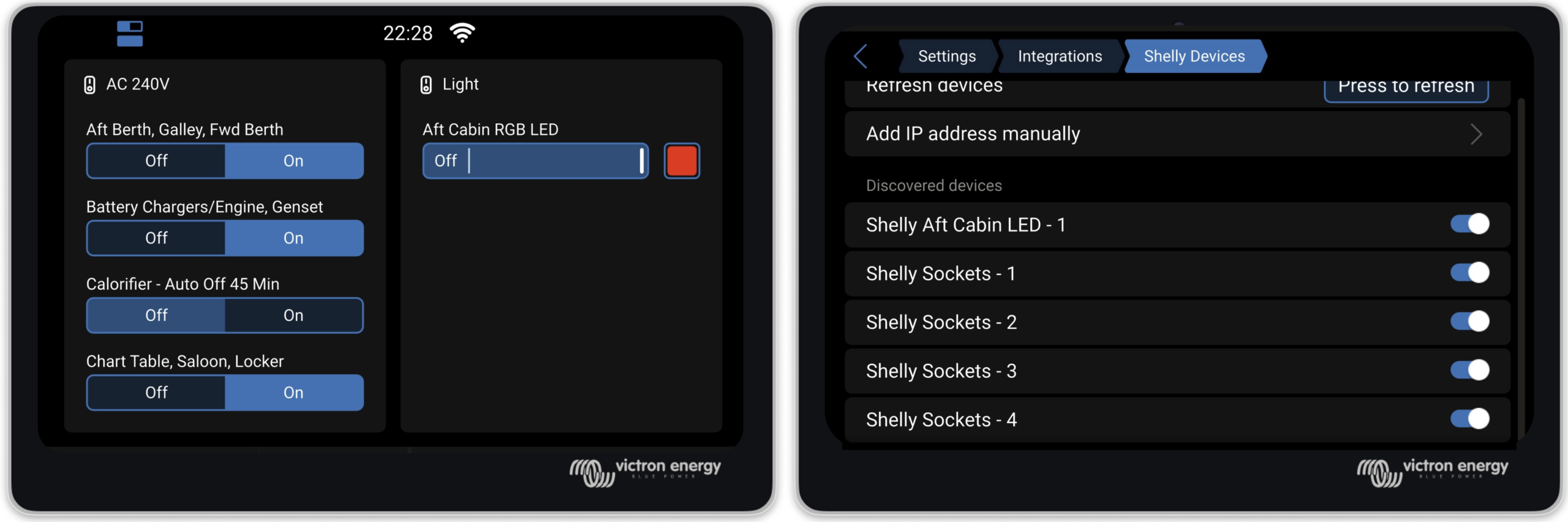
Venus OS now natively supports Shelly Gen2 (and newer) smart switches, energy meters and RGB light controllers. This brings better integration for the affordable and widely available range of Shelly smart home hardware to the Victron ecosystem. These are useful for controlling and monitoring AC loads such as water heaters, pool pumps, or lighting circuits.
Shelly devices on the same network are discovered automatically, though disabled by default. Once enabled in the Settings -> Integrations menu, Shelly devices appear in the switch pane.
Supported device types include on/off switches, dimmable outputs with slider control, and energy meters. It’s also possible to set the RGB controller color in the UI using presets.
Safiery STAR Digital Switching Integration
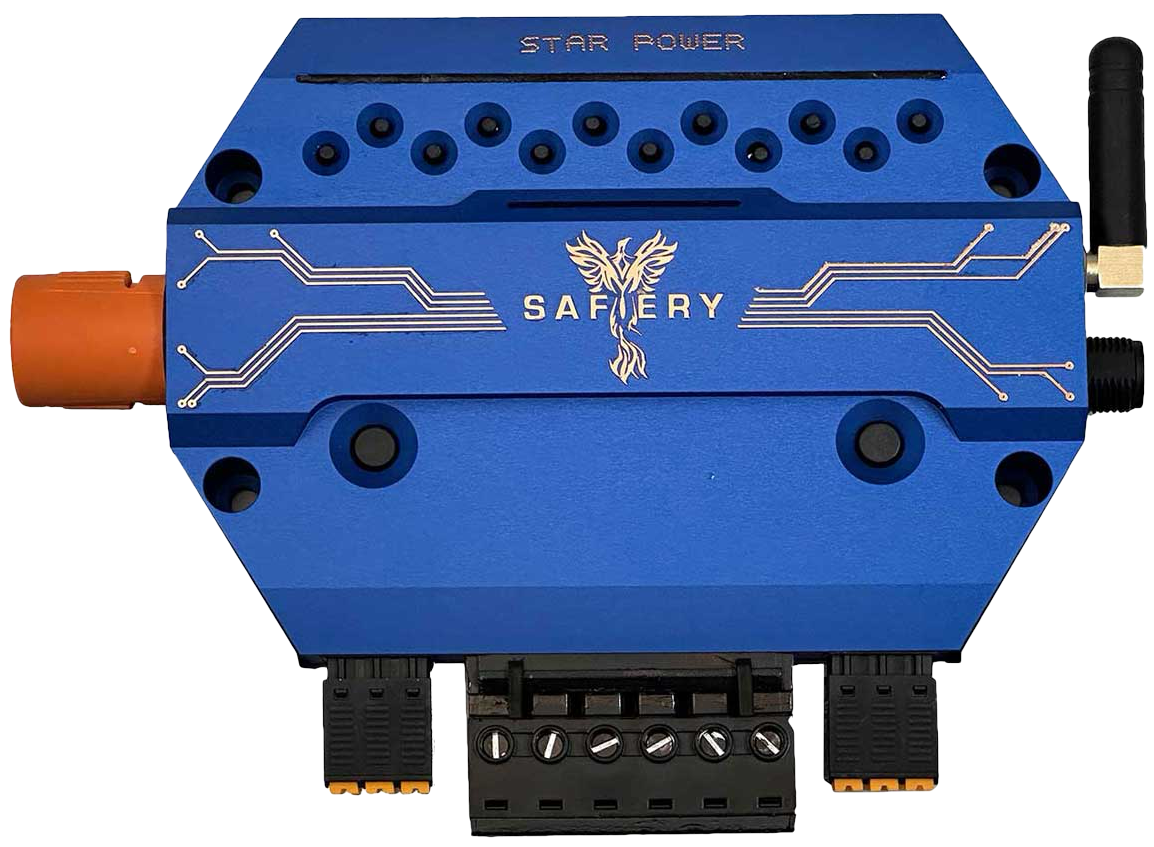
Venus OS now includes support for the Safiery STAR-Power, STAR-Light, and STAR-Rover digital switching controllers. Connected via VE.Can, they offer control of 12V or 24V switching circuits directly from the GX switch pane.
New sensor and device support
Several new device integrations round out this release:
Gobius tank sensors are now supported via Bluetooth, as well as Ruuvi Air sensors.
Pylontech batteries can now have their firmware updated remotely through the VRM Portal. A significant timesaver for installers with large system fleets connected via VRM. Navigate to the Device List on VRM, where updateable Pylontech batteries will be discovered. You’ll need to obtain Pylontech firmware files, and advice for when updates are needed from Pylontech battery dealers as VRM does not host these files.
SSS StorageDock Batteries have passed Victron BMS-Can compliance testing and are now supported.
Orion XS is now supported for NMEA 2000-out.
Tank sensor improvements include tank shape configuration and high/low alarm settings for Mopeka wireless sensors, as well as improved multi-device tank level handling for MFD displays over VE.Can.
New UI improvements
The New UI received many refinements:
A new Watts/Amps display preference called “Mixed” shows AC values in Watts and DC values in Amps.
An option to disable all animations can save up to 40% CPU on a Cerbo GX, making the interface noticeably more responsive.
Keyboard navigation has been added throughout the interface.
Portuguese and Afrikaans have been added as new language options.
Notification handling has been improved across the board. Alarm silencing is clearer, and the overall experience is more intuitive. The phase rotation alarm can now be enabled or disabled from the settings.
Fixes and improvements
This release includes important fixes across several areas:
Dynamic ESS: Fixed precision issues arising from the change to 15-minute windows, particularly for systems with decimal SOC values. Also fixed false battery discharge during scheduled charging with grid-to-battery restrictions, and a bug with negative grid set-points.
DVCC: Fixed charge current division between Multi-RS and external solar chargers in systems with PV inverters. Fixed CCL not being applied after turning a Multi off and back on. Added limited CCL control for a second VE.Bus system via MK3-USB.
Peak shaving: Fixed bugs where peak shaving was insufficient under some conditions, when Self-consumption from battery was set to “Only critical loads”.
PV Inverters: Fixed Enphase limiting issues, and SolarEdge limiter setup repeating on reconnections
Security: Brute force protection has been added to MQTT and HTTP(S) login. A new read-only mode for Modbus-TCP provides a more secure option.
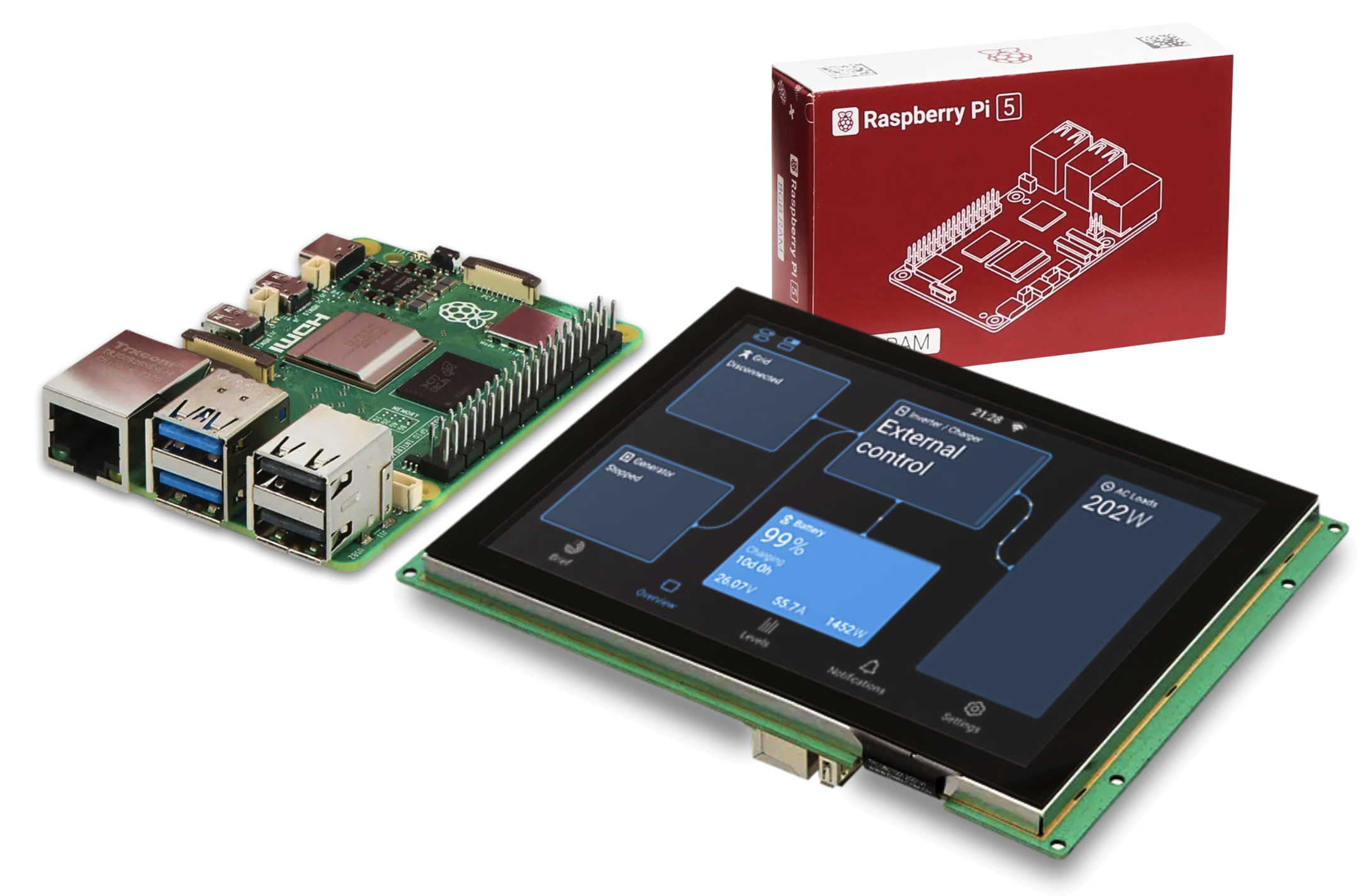
Raspberry Pi: Raspberry Pi 5 is now supported and includes the new UI. Please note: The New UI cannot render portrait orientation yet. Use the Classic UI if you have the Raspberry Pi Touch Display 2, or other portrait display.
Before you go
You can find the full list of changes in the changelog here.
Information on how to install the firmware is available in the GX Device manual. A quick link to the relevant page can be found here.
And as always, a huge thank you to our community for their invaluable help in testing and preparing this release. The detailed bug reports and feedback from the beta testing period have made v3.70 possible.