3. Operation
Twist the knob clockwise to turn the switch on.
Turn the knob counter clockwise to turn switch off.
Turn the knob a further 30° counter clockwise to turn switch off and to remove the knob.
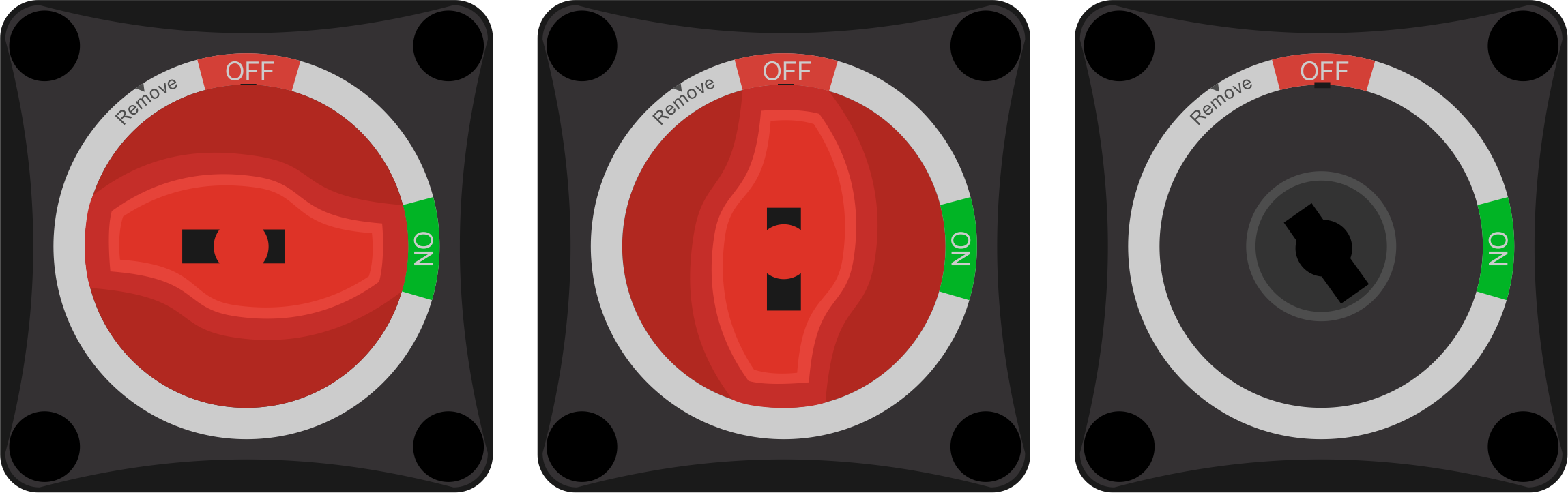 |
The three switch positions: ON, OFF and Remove
3.1. Battery Switch knob removal
The knob of the Battery Switch can be removed. Use this feature to prevent unwanted operation of the switch. When the knob is removed, the switch is off.
Removal of the knob will prevent accidental switching, for example when system maintenance is carried out (safety), or when the system is left unattended for a certain time (battery discharge prevention).
Ensure that engines and equipment connected to the same DC circuit as the Battery Switch are turned off.
Turn the Battery Switch knob counter clockwise to the "OFF" position has been reached.
Turn the knob a further 30° counter clockwise until the "Remove" position has been reached
Pull the knob away from the Battery Switch.
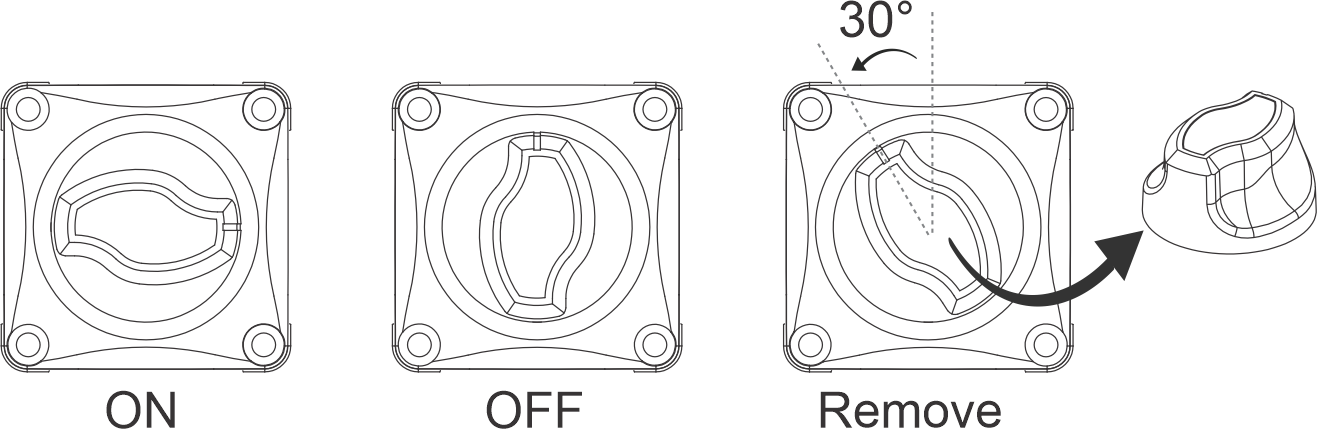
Removal of the Battery Switch knob.