2. Téléchargement et installation
VictronConnect est disponible pour les utilisateurs de PC Windows, de macOS, d’iOS, d’Android et de Linux (AppImage). Utilisez ce lien pour télécharger l’application adaptée à votre plateforme.
Reportez-vous au chapitre 4 pour plus de détails sur les téléphones, tablettes et ordinateurs portables compatibles, ainsi que sur les versions du système d’exploitation minimales requises.
2.1. Configuration de l’application
Après avoir installé VictronConnect, vous pouvez configurer les préférences de l’application.
Note
Les paramètres décrits ici concernent uniquement l’application VictronConnect. Il ne s’agit pas des paramètres des produits.
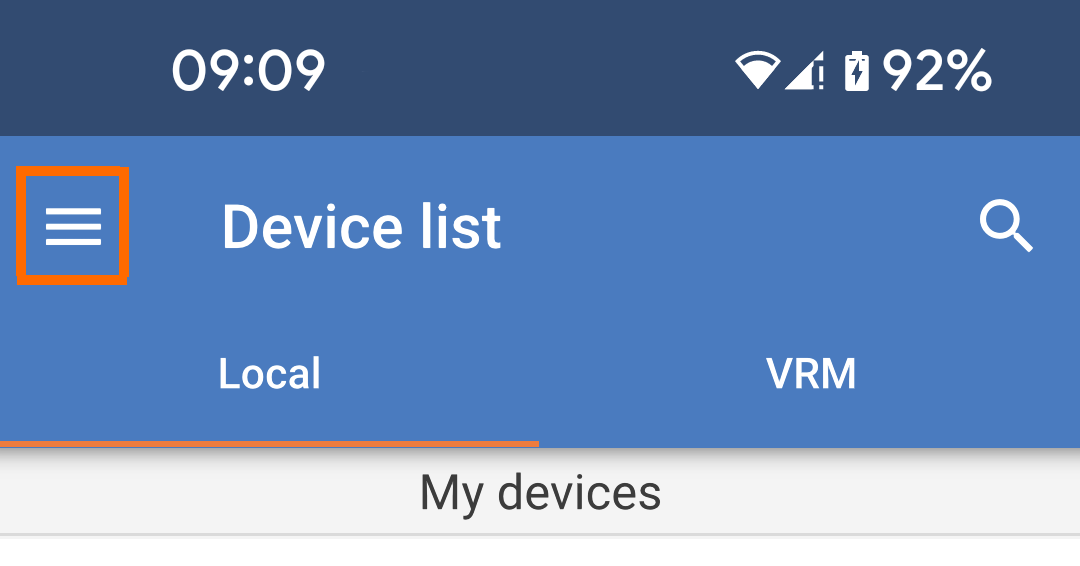
Appuyez sur l’icône du menu « hamburger » en haut à gauche de la page. |
| |
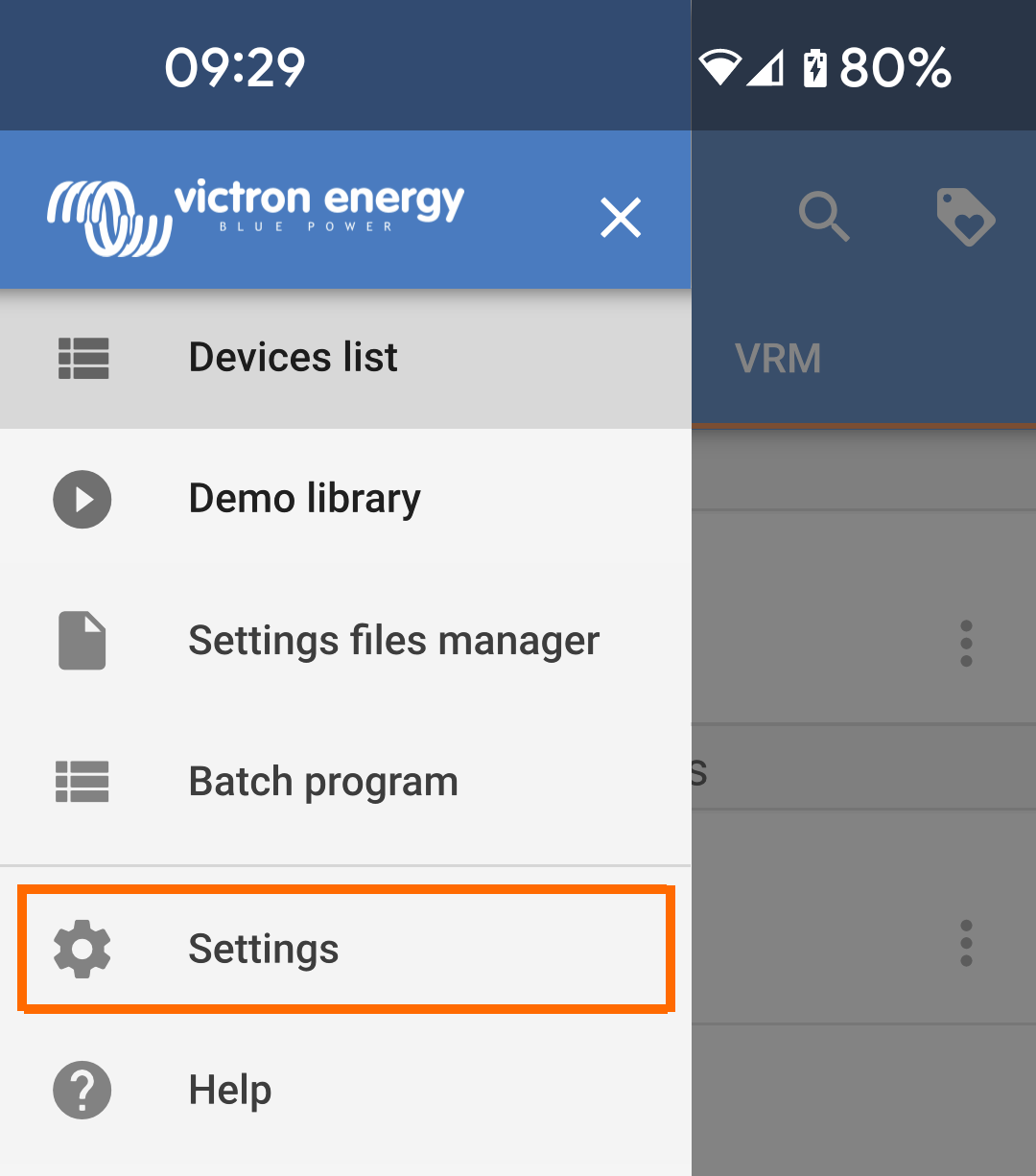
Sélectionnez « Paramètres » dans le menu déroulant. |
| |
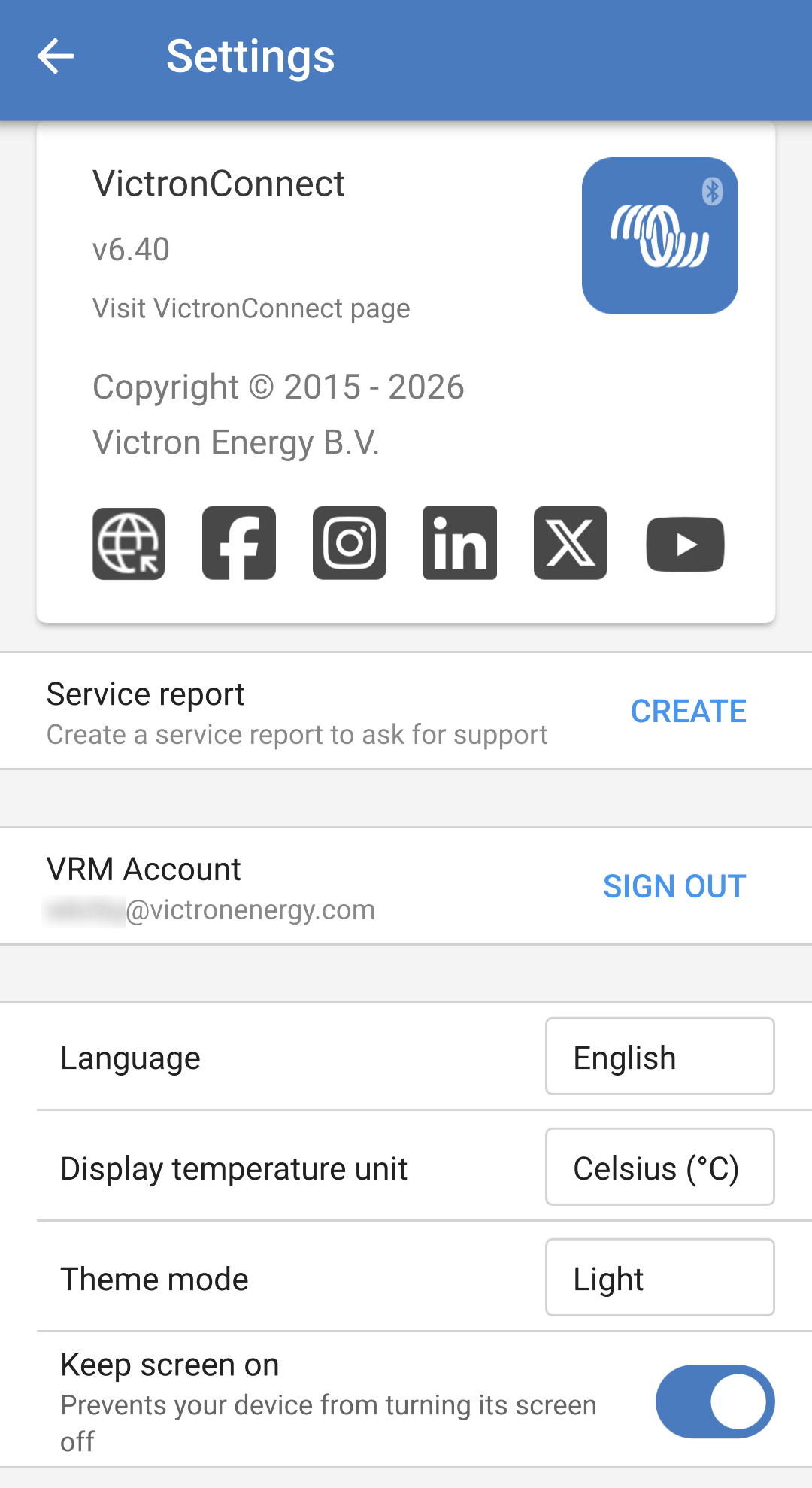
Le numéro de version est affiché en haut de la page des paramètres de l’application VictronConnect. Vous y trouverez également un lien vers la page VictronConnect de notre site web, ainsi que des liens vers différents réseaux sociaux.
|
| |
|
|